VidAU
VidAU AI empowers you to create videos simply through product links or descriptions, with realistic AI avatars as your engaging spokesperson
Elevate short-form videos to engaging stories with AI
Publicado y mantenido por Equipo editorial de ToolsBot
| Sitio web del producto | ClipGlow |
|---|---|
| Categoría |
Las fechas corresponden al registro de ToolsBot, no al lanzamiento del producto ni a una nueva evaluación independiente.
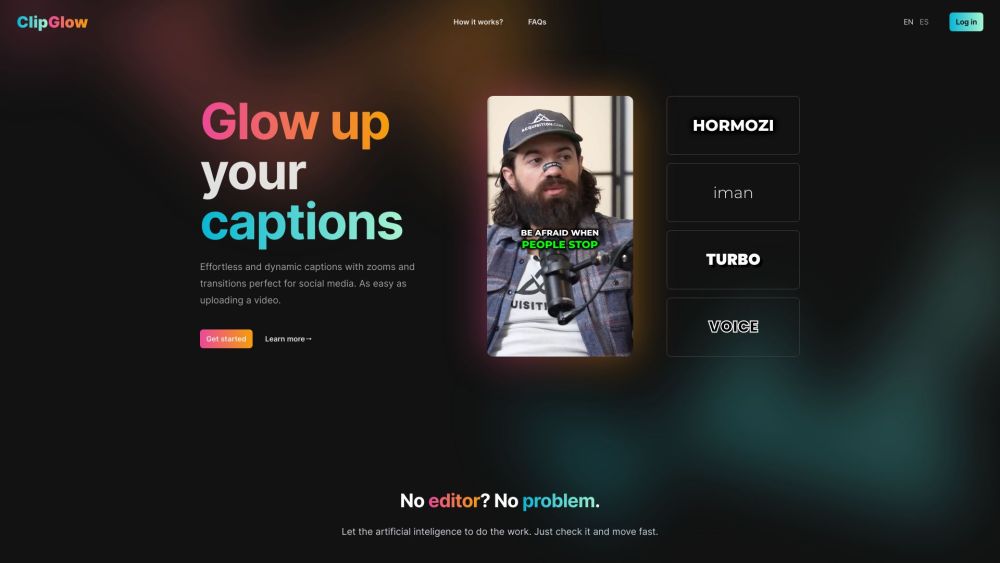
Elevate short-form videos to engaging stories with AI
Revitalize short-form videos with AI-powered editing. Easily transcribe audio to captions, add emojis, sound effects, and stylish transitions for professional, engaging social media content. Ideal for creators seeking an easy, professional touch.
#1 Creators seeking an easy, professional touch #2 Those looking to enhance their social media content #3 Anyone in need of accurate and engaging captions for their videos #4 Individuals wanting to add audio effects and transitions to their videos
AI generated captions Effortless and dynamic captions with zooms and transitions perfect for social media AI-Powered Transcription Automatic, multi-language speech-to-text conversion for accurate subtitles Interactive Editing Suite Easy-to-use editor for syncing and customizing captions Dynamic Caption Styles Various caption styles, animations, and effects to enhance videos One-Click Export Quick and easy export of enhanced videos in a single click Audio Effect Integration Add audio effects for impactful sound enhancements Emojis and Transitions Diverse emojis and smooth transitions to enliven video content (coming soon)
What types of video formats can I upload? How does the AI determine what captions to add? Can I customize the style of the captions? Is there a limit to the video length for captioning? How many languages do you support? Can I edit or delete captions after they have been generated? How can I reach customer support if I need assistance? What is the turnaround time for AI captioning and video enhancement? How do I get started with your service?
Herramientas de las mismas categorías, ordenadas por categorías compartidas y luego por visitas totales. Compara sus funciones para encontrar una alternativa adecuada.
VidAU AI empowers you to create videos simply through product links or descriptions, with realistic AI avatars as your engaging spokesperson
OpusClip Captions is a free AI tool that adds animated captions to videos in 1 click.
VideoTube is free AI video generator that turns text and images into videos within minutes.
AI tool for turning long videos into short clips.
An AI tool that transforms scripts into short-form videos optimized for social media platforms like TikTok, IG Reels, and YouTube Shorts.
AIVideo is a platform that combines various video production tools within a chatbot to generate scripts, voiceovers, visuals, animation, vid
Más herramientas, ordenadas por visitas totales en ToolsBot. Con las mismas visitas, se muestran primero las publicaciones más recientes.
Creador gratuito de vídeos recopilatorios en línea: añade tus fotos, elige una plantilla y descarga un MP4 sincronizado con el ritmo. Sin ap
Transforma fotos en anime, acuarelas, avatares 3D y otros estilos creativos dentro de Telegram. Crea tarjetas de felicitación personalizadas
Convierte las novedades de producto en textos e imágenes de marketing listos para cada canal.
El MCP de LinkedIn para agentes de IA.
Fotografía de productos con IA para vendedores de ropa: crea imágenes con modelo, maniquí invisible y prendas en plano a partir de fotos de
AI Photo Detector comprueba si las fotos se han generado o editado con IA. Consulta la clasificación, el nivel de confianza y el análisis po
Referencia del producto: ClipGlow — Sitio web del producto.
Consulta las funciones, los precios y las políticas actuales en el sitio del producto antes de utilizarlo.
ToolsBot ofrece información para descubrir y comparar productos. La inclusión no implica respaldo ni garantiza las afirmaciones del producto.