Drawstory
AI storyboarding tool for visualizing narratives from scripts
Go beyond single-function AI assistants and create AI co-workers on Slack for hundreds of roles including finance, sales, product, marketing, and operations.
Publié et maintenu par Équipe éditoriale ToolsBot
| Site du produit | https://teamcreate.ai/ |
|---|---|
| Catégorie |
Les dates concernent la fiche ToolsBot, et non le lancement du produit ou une nouvelle évaluation indépendante.
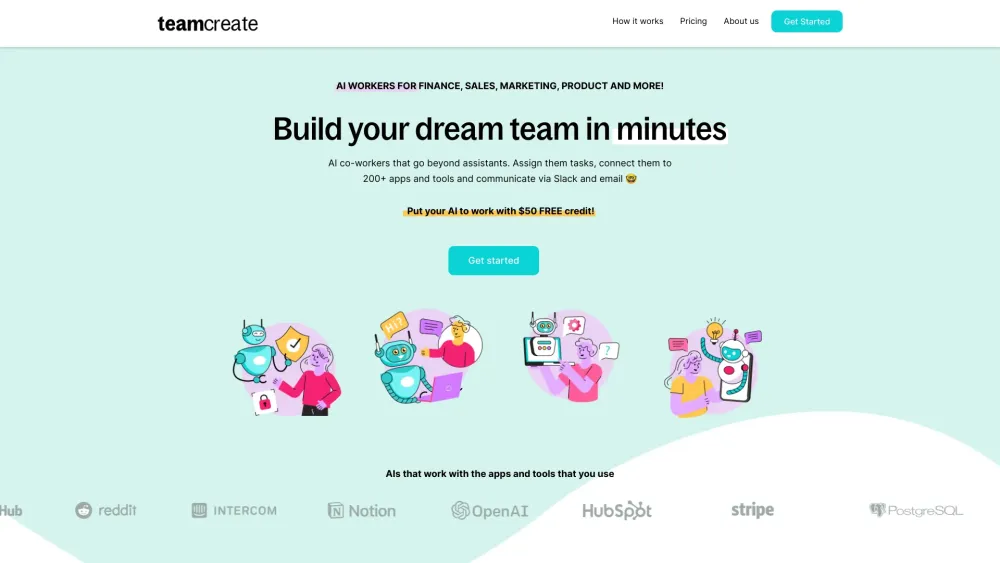
Go beyond single-function AI assistants and create AI co-workers on Slack for hundreds of roles including finance, sales, product, marketing, and operations.
Step 1: Click here to add TeamCreate to Slack. @teamcreate handles AI creation, payments, and support. Coming soon to Microsoft Teams, Discord, and WhatsApp. Step 2: Message @teamcreate to create a new AI worker. Assign your AI worker to a team, give them a manager and provide details like a name, job title, and responsibilities or let @teamcreate suggest them. Step 3: Assign your AI worker an email and app access to fulfill their role, with security controls. If unsure, they'll consult their manager. Step 4: Think of your new AI worker as a fast-learning junior hire! Assign tasks and leverage their multilingual skills (English, Mandarin, Spanish) for seamless team integration.
#1 Manage QuickBooks tasks like billing and payments #2 Identify sales prospects and add details to HubSpot #3 Create financial projections and cash flow analysis #4 Create content and post on Notion including links to documents
Customizable AI workers for roles in Sales, Marketing, Finance, Product, Support, and Operations
How do I create an AI worker for my team? How can AI workers perform recurring tasks? What if I don't use Slack? How do I give my AI worker access to apps and tools? What is my AI worker called?
Outils des mêmes catégories, classés par catégories communes puis par nombre total de visites. Comparez leurs fonctions pour trouver une alternative adaptée.
AI storyboarding tool for visualizing narratives from scripts
Build custom ChatGPT bots for websites easily.
AI poker coach simplifying learning with personalized feedback.
AI platform for tracking yearly resolutions and personal goals.
AI-powered tool for crafting resumes and cover letters efficiently.
AI-driven platform for customer service and sales automation.
Autres outils classés par nombre total de visites sur ToolsBot. À égalité, les fiches les plus récentes apparaissent en premier.
Créez un remix de performance musicale courte à partir d'un portrait d'adulte, avec les prises de fond originales et la bande sonore.
La Drive AI est la couche d’intelligence pour tous les fichiers dans le monde, où qu’ils se trouvent. Il organise les fichiers existants et
Transformez une photo adulte en une vidéo de concert de bureau verticale de 14 secondes: vous chantez au clavier rouge avec des chanteurs de
48 outils d'IA gratuits pour écrire, résumer et réécrire, à l'intérieur des 475 outils en ligne gratuits de ZIPZAX. Construit par une petite
Fabricant de systèmes industriels d'inspection à rayons X, AXI, équipements industriels de CT et de NDT pour le contrôle de qualité des PCB
Créez une vidéo Victoria Secret Runway AI à partir d'une photo. Explorez les looks de Kylie Jenner, Hadid, Ming Xi, Anok Yai et Jasmine Took
Référence du produit : TeamCreate AI — Site du produit.
Consultez le site du produit pour vérifier ses fonctionnalités, tarifs et politiques actuels avant de l’adopter.
ToolsBot facilite la découverte et la comparaison. Une fiche ne constitue ni une approbation ni une garantie des affirmations du produit.