Drawstory
AI storyboarding tool for visualizing narratives from scripts
Go beyond single-function AI assistants and create AI co-workers on Slack for hundreds of roles including finance, sales, product, marketing, and operations.
Veröffentlicht und gepflegt von ToolsBot-Redaktion
| Produktwebsite | https://teamcreate.ai/ |
|---|---|
| Kategorie |
Die Daten beziehen sich auf den ToolsBot-Eintrag, nicht auf den Produktstart oder eine neue unabhängige Prüfung.
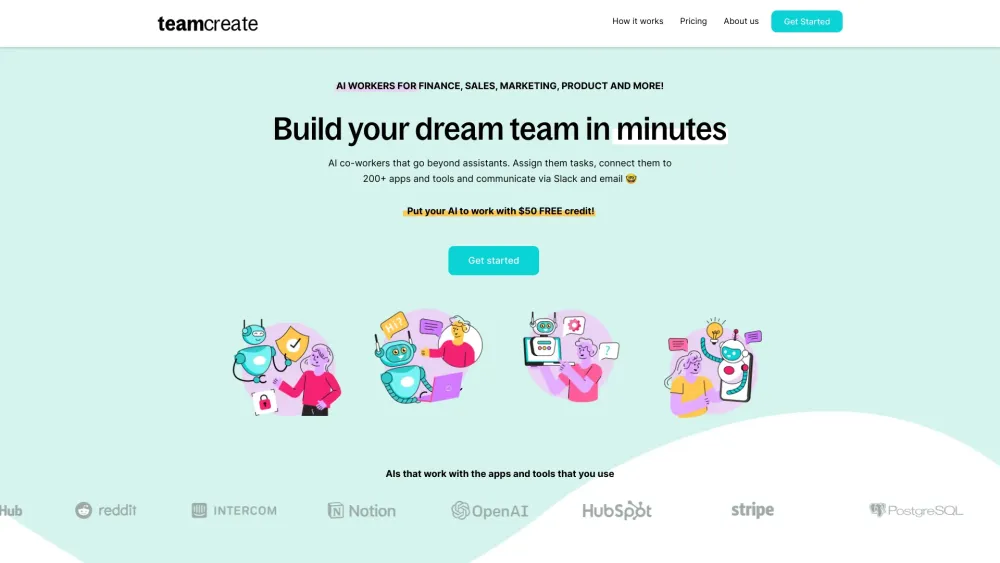
Go beyond single-function AI assistants and create AI co-workers on Slack for hundreds of roles including finance, sales, product, marketing, and operations.
Step 1: Click here to add TeamCreate to Slack. @teamcreate handles AI creation, payments, and support. Coming soon to Microsoft Teams, Discord, and WhatsApp. Step 2: Message @teamcreate to create a new AI worker. Assign your AI worker to a team, give them a manager and provide details like a name, job title, and responsibilities or let @teamcreate suggest them. Step 3: Assign your AI worker an email and app access to fulfill their role, with security controls. If unsure, they'll consult their manager. Step 4: Think of your new AI worker as a fast-learning junior hire! Assign tasks and leverage their multilingual skills (English, Mandarin, Spanish) for seamless team integration.
#1 Manage QuickBooks tasks like billing and payments #2 Identify sales prospects and add details to HubSpot #3 Create financial projections and cash flow analysis #4 Create content and post on Notion including links to documents
Customizable AI workers for roles in Sales, Marketing, Finance, Product, Support, and Operations
How do I create an AI worker for my team? How can AI workers perform recurring tasks? What if I don't use Slack? How do I give my AI worker access to apps and tools? What is my AI worker called?
Tools aus denselben Kategorien, sortiert nach gemeinsamen Kategorien und dann nach Gesamtaufrufen. Vergleiche die Funktionen, um eine passende Alternative zu finden.
AI storyboarding tool for visualizing narratives from scripts
Build custom ChatGPT bots for websites easily.
AI poker coach simplifying learning with personalized feedback.
AI platform for tracking yearly resolutions and personal goals.
AI-powered tool for crafting resumes and cover letters efficiently.
AI-driven platform for customer service and sales automation.
Weitere Tools nach Gesamtaufrufen auf ToolsBot. Bei gleicher Aufrufzahl erscheinen neuere Einträge zuerst.
Kostenloser Online-KI-Videogenerator: Erstellen Sie filmische Text-zu-Video- und Bild-zu-Video-Clips mit nativem Audio und Lippensynchronisa
一站开通 ChatGPT Plus / Pro, Grok, Cursor und Gemini 会员,支付宝付款,充到你自己的账号,服务费公开,30 天质保。
ChatGPT Plus, Pro 5x und Pro 20x 会员充值,支付宝付款,充到你自己的账号,没有美金卡也能开通,30 天质保。
Erstellen Sie fiktive Desk-Konzert-Videos mit Original-Audio aus autorisierten Erwachsenenporträts. Wählen Sie einen Lead und bis zu vier op
SyncStudy hilft Schülern, öffentliche YouTube-Playlists in strukturierte Kurse zu verwandeln. Organisieren Sie Videounterricht, verfolgen Si
FaceTiers ist ein kostenloser Attraktivitätstest. Ein On-Device-Face-Landmark-Modell platziert 478 Punkte auf Ihr Foto im Browser, so dass d
Produktreferenz: TeamCreate AI — Produktwebsite.
Prüfe aktuelle Funktionen, Preise und Richtlinien auf der Produktwebsite, bevor du das Tool einsetzt.
ToolsBot hilft bei der Suche und beim Vergleich. Ein Eintrag ist keine Empfehlung oder Garantie für Produktangaben.