SyncStudy
SyncStudyは、学生がパブリックYouTubeプレイリストを構造化カリキュラムに変換するのを支援します。ある場所でビデオレッスンを組織し、進行状況を追
VideoSage is a dedicated platform designed to enhance the experience of watching long videos for individual users. It offers a range of tools and features to customize and enhance your viewing experience.
公開・管理: ToolsBot 編集チーム
| 製品サイト | VideoSage |
|---|---|
| カテゴリー |
日付は ToolsBot の掲載記録を示し、製品の公開日や新たな独立評価の実施日ではありません。
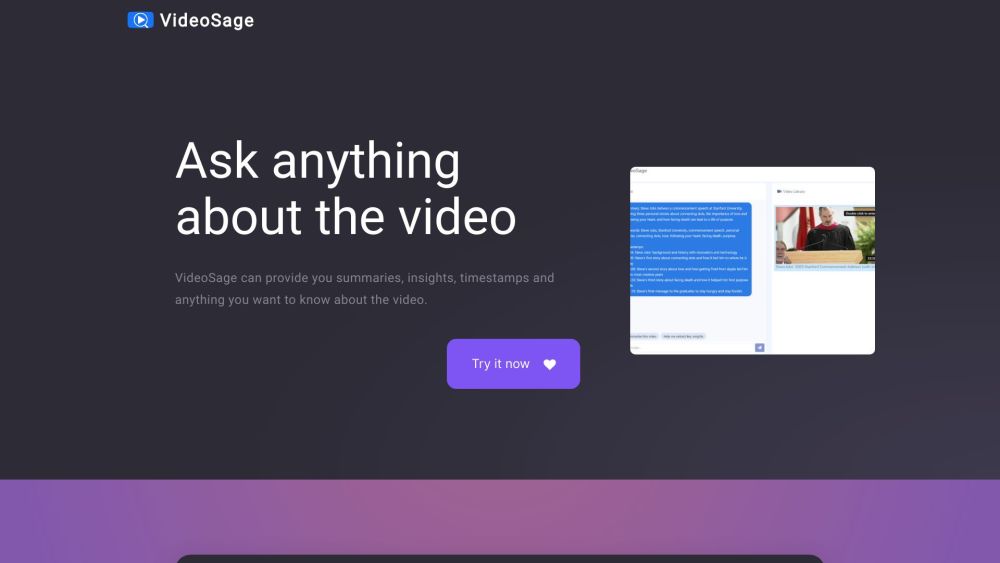
VideoSage is a dedicated platform designed to enhance the experience of watching long videos for individual users. It offers a range of tools and features to customize and enhance your viewing experience.
To use VideoSage, simply navigate to the website and start watching a video. While watching, you can engage in conversations with the AI, ask questions, and request summaries, insights, and timestamps about the video. The AI strives to provide accurate information based on the video content. You can also take notes and collaborate alongside the video content.
#1 VideoSage can be used in various scenarios: 1. Learning: Use VideoSage to watch educational videos and gain summary and insights for better understanding. 2. Research: Get specific information by asking questions directly to the AI while watching research videos. 3. Reviewing: Use VideoSage to quickly navigate through long review videos using timestamps and get key insights. 4. Collaborative work: VideoSage's collaborative environment allows teams to watch videos together, take notes, and have discussions alongside the content.
VideoSage offers the following core features: 1. Summaries and insights: Get concise summaries and valuable insights about the video. 2. Timestamps: Quickly access specific parts of the video with timestamps. 3. Conversations with AI: Engage in discussions and ask any questions about the video. 4. Collaborative environment: Take notes and discuss alongside the video. 5. Accuracy: The AI provides precise answers based on the video content, enhancing credibility and reliability.
How does VideoSage enhance the viewing experience? How accurate are the answers provided by the AI? Can I customize my viewing experience on VideoSage? What kind of videos can I use with VideoSage?
同じカテゴリのツールを、共通カテゴリ数、累計閲覧数の順に表示します。機能を比較して適切な代替ツールを探しましょう。
SyncStudyは、学生がパブリックYouTubeプレイリストを構造化カリキュラムに変換するのを支援します。ある場所でビデオレッスンを組織し、進行状況を追
PCB及び電子品質制御のための産業用X線検出システム、AXI、産業用CT及びNDT装置の製造業者。本社は中国深センにある。
Rasterbatorは無料のオンラインハーフトーンポスター生成器です。任意の写真を大規模な壁新聞に変換し、複数ページのPDFにダウンロードし、自宅で印刷
Timeline Visualizerは、無料のプライベートGoogleマップタイムライン可視化ツールです。ロケーション履歴JSONエクスポートを開き、地図上にルートを
50+FPSゲームに適した無料マウス感度変換器(『Valorant』、『CS 2』、『Apex Legends』、『ガーディアン2』、『砦の夜』を含む)。AIツールではあり
スクリプトを貼り付け、スクロール速度とフォントサイズを設定し、ミラーモードを使用して全画面表示します。登録もインストールも必要ありません。
ToolsBot の累計閲覧数順で表示するその他のツールです。同数の場合は新しく掲載されたツールを優先します。
GetRenderのAI建築レンダリングツールを探索し、建築、室内、景観、スケッチからレンダリング、デザインプレゼンテーションに使用します。
FloatSongのAI音楽生成器を使用してテキストまたは歌詞から曲を作成します。SunoまたはFlow Musicを選択し、歌詞を書き、1つのスタジオで次の曲を制作
AIキャラクタアニメーションジェネレータとゲームキャラクタテーブルジェネレータ。数分以内に一貫したスタイルのプロダクションレディスプライトテー
MemoTuneは、ネットワークベースのAI曲生成器です。人の声や楽器でアイデア、歌詞、物語、画像を完全な曲に変える。音楽スキルは必要ありません。
MP 3をアップロードするか、曲のリンクを貼り付けて、SongSceneがビート同期カット、歌詞字幕、9:16、16:9、または1:1でエクスポートされたスマー
AIクリエイティブスタジオで画像、ビデオクリップ、音楽を作成します。テキストまたは画像からモデルを選択し、生成する前に与信コストを表示します。
製品の参照先: VideoSage — 製品サイト.
導入前に製品サイトで最新の機能、料金、ポリシーを確認してください。
ToolsBot は製品の発見と比較のための情報を提供します。掲載は推奨や製品の主張の保証を意味しません。