SyncStudy
SyncStudy는 학생들이 공개 YouTube 재생 목록을 구조화된 과정으로 변경할 수 있도록 도와줍니다.비디오 수업을 조직하고, 진행 상황을 추적하고, 시
VideoSage is a dedicated platform designed to enhance the experience of watching long videos for individual users. It offers a range of tools and features to customize and enhance your viewing experience.
게시 및 관리: ToolsBot 편집팀
| 제품 웹사이트 | VideoSage |
|---|---|
| 범주 |
날짜는 ToolsBot 등록 기록에 관한 것으로, 제품 출시일이나 새로운 독립 평가일을 의미하지 않습니다.
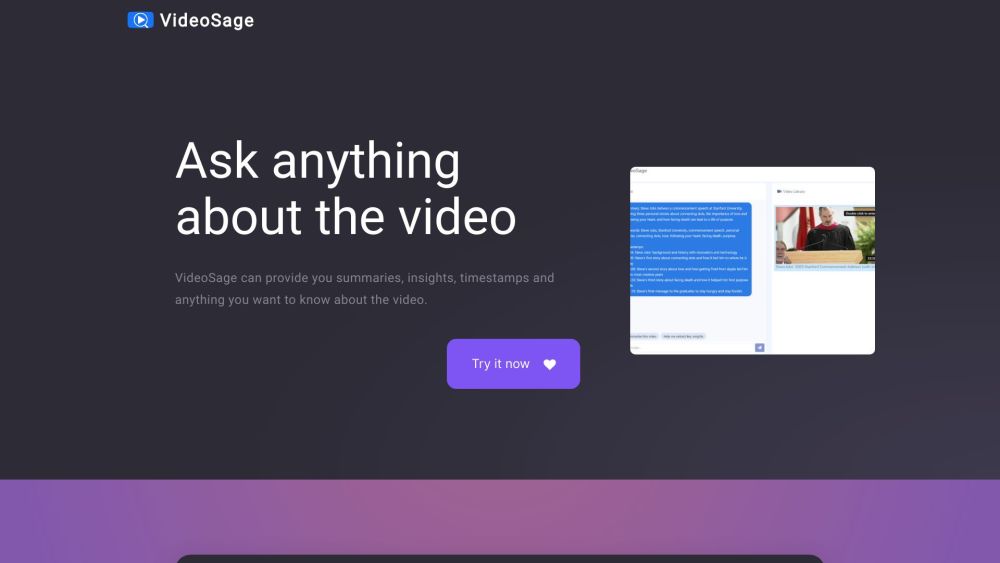
VideoSage is a dedicated platform designed to enhance the experience of watching long videos for individual users. It offers a range of tools and features to customize and enhance your viewing experience.
To use VideoSage, simply navigate to the website and start watching a video. While watching, you can engage in conversations with the AI, ask questions, and request summaries, insights, and timestamps about the video. The AI strives to provide accurate information based on the video content. You can also take notes and collaborate alongside the video content.
#1 VideoSage can be used in various scenarios: 1. Learning: Use VideoSage to watch educational videos and gain summary and insights for better understanding. 2. Research: Get specific information by asking questions directly to the AI while watching research videos. 3. Reviewing: Use VideoSage to quickly navigate through long review videos using timestamps and get key insights. 4. Collaborative work: VideoSage's collaborative environment allows teams to watch videos together, take notes, and have discussions alongside the content.
VideoSage offers the following core features: 1. Summaries and insights: Get concise summaries and valuable insights about the video. 2. Timestamps: Quickly access specific parts of the video with timestamps. 3. Conversations with AI: Engage in discussions and ask any questions about the video. 4. Collaborative environment: Take notes and discuss alongside the video. 5. Accuracy: The AI provides precise answers based on the video content, enhancing credibility and reliability.
How does VideoSage enhance the viewing experience? How accurate are the answers provided by the AI? Can I customize my viewing experience on VideoSage? What kind of videos can I use with VideoSage?
같은 카테고리의 도구를 공통 카테고리 수, 누적 조회수 순으로 표시합니다. 기능을 비교하여 적합한 대안을 찾아보세요.
SyncStudy는 학생들이 공개 YouTube 재생 목록을 구조화된 과정으로 변경할 수 있도록 도와줍니다.비디오 수업을 조직하고, 진행 상황을 추적하고, 시
산업용 X선 검사 시스템, AXI, PCB 및 전자 품질 관리용 산업용 CT 및 NDT 장비 제조업체.중국 심천에 본사를 두고 있습니다.
Rasterbator는 무료 온라인 하프토인 포스터 생성기입니다.모든 사진을 큰 벽 포스터로 변경하고 다중 페이지 PDF로 다운로드하고 집에서 인쇄하고 조
타임라인 비주얼라이저는 무료 개인 구글 지도 타임라인 비주얼라이저입니다.위치 역사 JSON 내보내기를 열고, 지도에서 경로를 재생하고, 여행 비디
Valorant, CS2, Apex Legends, Overwatch 2 및 Fortnite를 포함한 50 FPS 이상의 게임을 위한 무료 마우스 감도 변환기.AI 도구가 아닙니다.
Teleprompter Online는 무료 브라우저 teleprompter입니다.스크립트를 스스스크롤 속도와 글스스크기를 설정하고 거울 모드를 사용하고 풀스크린으로
ToolsBot 누적 조회수순으로 정렬한 다른 도구입니다. 조회수가 같으면 최근 등록된 도구를 먼저 표시합니다.
건물, 인테리어 및 풍경을 위한 GetRender의 AI 건축 렌더링 도구를 스케치에서 렌더링까지 디자인 프레젠테이션까지 탐색하십시오.
FloatSong의 AI 음악 생성기를 사용하여 텍스트 또는 가사에서 노래를 생성합니다.Suno 또는 Flow Music을 선택하고 가사를 작성하고 하나의 스튜디오
AI 스프라이트 애니메이션 생성기 및 게임을위한 스프라이트 시트 메이커.생산 준비된 스프라이트 시트, 워킹 사이클 및 JSON 애틀라스를 몇 분 만에
MemoTune는 웹 기반 AI 노래 생성기입니다.아이디어, 가사, 이야기 및 이미지를 보컬 또는 악기로 완전한 노래로 변환하십시오.음악 능력이 필요하지
MP3를 업로드하거나 노래 링크를 SongSongSongScene가 비트 동기화 된 절단, 가사 캐پ션 및 9:16, 16:9 또는 1:1 내보내기를 가진 스마트 AI 음악 비
하나의 AI 크리에이티브 스튜디오에서 이미지, 비디오 클립 및 음악을 만들어보세요.모델을 선택하고 텍스트 또는 이미지로 시작하고 생성하기 전에
제품 참고 링크: VideoSage — 제품 웹사이트.
도입 전에 제품 웹사이트에서 최신 기능, 가격 및 정책을 확인하세요.
ToolsBot은 제품 탐색과 비교를 위한 정보를 제공합니다. 등록이 제품에 대한 보증이나 주장의 정확성을 보장하지는 않습니다.