SyncStudy
SyncStudy helps students turn public YouTube playlists into structured courses. Organize video lessons, track your progress, take timestampe
VideoSage is a dedicated platform designed to enhance the experience of watching long videos for individual users. It offers a range of tools and features to customize and enhance your viewing experience.
Published and maintained by ToolsBot Editorial Team
| Product website | VideoSage |
|---|---|
| Category |
Dates refer to this ToolsBot listing, not the product’s launch date or a new independent review.
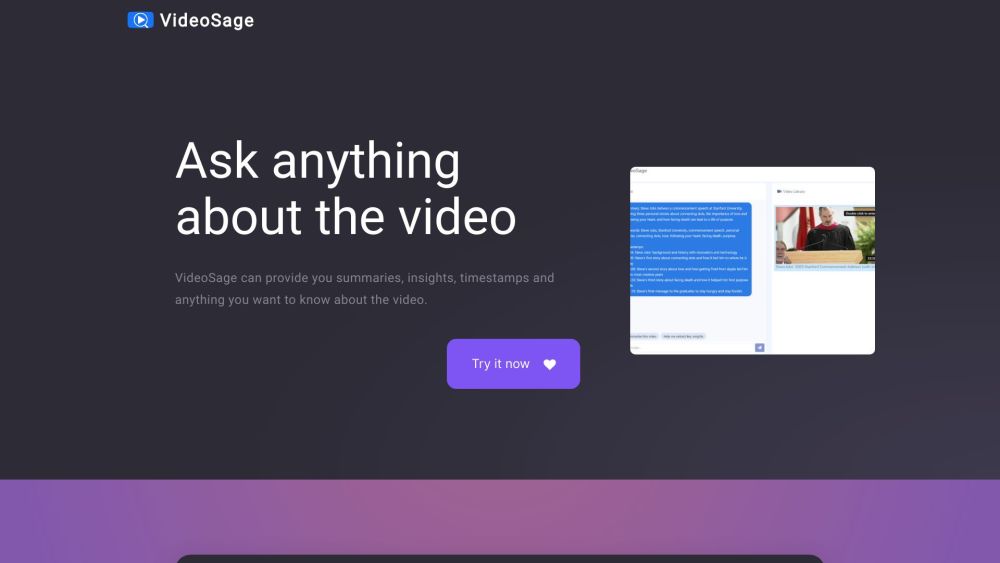
VideoSage is a dedicated platform designed to enhance the experience of watching long videos for individual users. It offers a range of tools and features to customize and enhance your viewing experience.
To use VideoSage, simply navigate to the website and start watching a video. While watching, you can engage in conversations with the AI, ask questions, and request summaries, insights, and timestamps about the video. The AI strives to provide accurate information based on the video content. You can also take notes and collaborate alongside the video content.
#1 VideoSage can be used in various scenarios: 1. Learning: Use VideoSage to watch educational videos and gain summary and insights for better understanding. 2. Research: Get specific information by asking questions directly to the AI while watching research videos. 3. Reviewing: Use VideoSage to quickly navigate through long review videos using timestamps and get key insights. 4. Collaborative work: VideoSage's collaborative environment allows teams to watch videos together, take notes, and have discussions alongside the content.
VideoSage offers the following core features: 1. Summaries and insights: Get concise summaries and valuable insights about the video. 2. Timestamps: Quickly access specific parts of the video with timestamps. 3. Conversations with AI: Engage in discussions and ask any questions about the video. 4. Collaborative environment: Take notes and discuss alongside the video. 5. Accuracy: The AI provides precise answers based on the video content, enhancing credibility and reliability.
How does VideoSage enhance the viewing experience? How accurate are the answers provided by the AI? Can I customize my viewing experience on VideoSage? What kind of videos can I use with VideoSage?
Tools in the same categories, ranked by shared categories and then total views. Compare their features to find a suitable alternative.
SyncStudy helps students turn public YouTube playlists into structured courses. Organize video lessons, track your progress, take timestampe
Manufacturer of industrial X-ray inspection systems, AXI, industrial CT and NDT equipment for PCB and electronics quality control. Based in
Rasterbator is a free online halftone poster generator. Turn any photo into a large wall poster, download it as a multi-page PDF, then print
Timeline Visualizer is a free, private Google Maps Timeline visualizer. Open your location-history JSON export, replay your routes on a map,
Free mouse sensitivity converter for 50+ FPS games, including Valorant, CS2, Apex Legends, Overwatch 2 and Fortnite. Not an AI tool.
Teleprompter Online is a free browser teleprompter. Paste a script, set scroll speed and font size, use mirror mode, and go fullscreen. No s
More tools to explore, ranked by total views on ToolsBot. Newer listings come first when view counts are equal.
Explore GetRender's AI architectural rendering tools for buildings, interiors, and landscapes, from sketch-to-render to design presentations
Create songs from text or lyrics with FloatSong's AI music generator. Choose Suno or Flow Music, write lyrics, and make your next song in on
AI sprite animation generator and sprite sheet maker for games. Create production-ready sprite sheets, walking cycles, and JSON atlases with
MemoTune is a web-based AI song generator. Turn ideas, lyrics, stories, and images into complete songs with vocals or instrumentals. No musi
Upload an MP3 or paste a song link and let SongScene turn it into a smart AI music video with beat-synced cuts, lyric captions, and 9:16, 16
Create images, video clips, and music in one AI creative studio. Choose a model, start with text or an image, and review credit costs before
Product reference: VideoSage — Product website.
Check the product website for current capabilities, pricing and policies before adopting this tool.
ToolsBot provides directory information for discovery and comparison. A listing is not an endorsement or a guarantee of product claims.