AI Translate Manga
아트워크 내에서 일본어 만화 페이지를 영어 또는 중국어 번역하십시오. PNG, JPG 또는 PDF 페이지를 업로드 하거나 Chrome 확장 기능을 사용하십시오
YouTube dubbing extension that lets you hear foreign-language videos in your own language as they play.
게시 및 관리: ToolsBot 편집팀
| 제품 웹사이트 | EarDub |
|---|---|
| 범주 | |
| ToolsBot 등록일 | |
| 등록 정보 수정일 |
날짜는 ToolsBot 등록 기록에 관한 것으로, 제품 출시일이나 새로운 독립 평가일을 의미하지 않습니다.
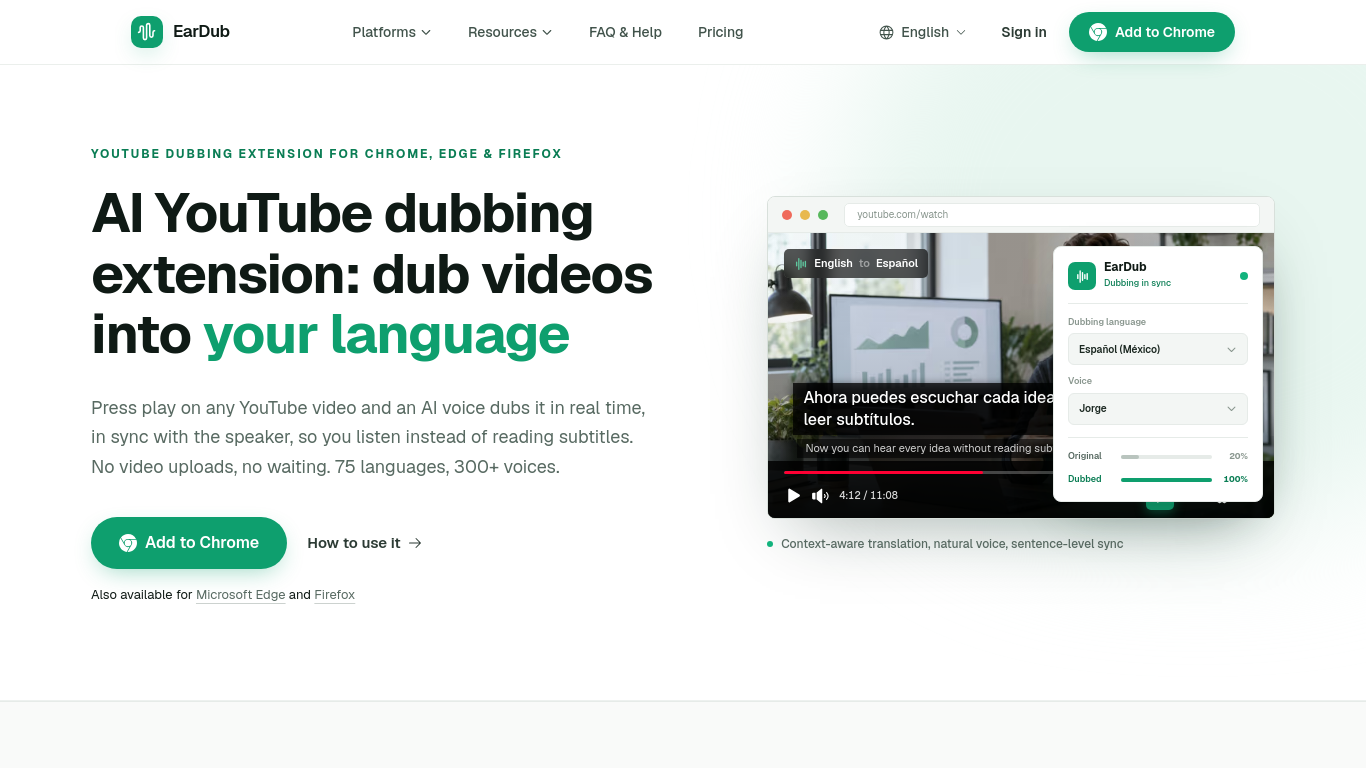
EarDub adds a button to the video player. Click it and an AI voice speaks the video in your language during playback, keeping pace with the speaker. Nothing is uploaded and there is no render to wait for. It is built for viewers rather than creators, and it also works on Udemy, Coursera and other video sites. A free plan is available. It is not designed for live streams.
Install the extension, sign in, choose a language, and start dubbing from the extension panel. It translates captions or, on paid plans, recognizes speech in videos without captions.
Listen to translated YouTube videos, online courses, tutorials, podcasts and interviews.
Real-time AI dubbing timed to the speaker; whole-sentence translation that keeps names and terms consistent; 75+ languages and 300+ AI voices; bilingual subtitles; separate volume for the original audio.
Q: Does EarDub work on videos without captions? A: Yes, on paid plans, except for live streams and copy-protected video.
같은 카테고리의 도구를 공통 카테고리 수, 누적 조회수 순으로 표시합니다. 기능을 비교하여 적합한 대안을 찾아보세요.
아트워크 내에서 일본어 만화 페이지를 영어 또는 중국어 번역하십시오. PNG, JPG 또는 PDF 페이지를 업로드 하거나 Chrome 확장 기능을 사용하십시오
AI tool for generating SEO-friendly alt text for images.
AI dual editor for writing, coding, and translations.
AI-powered transcription service for audio and video files.
Create custom translators for fun and professional styles.
AI assistant for Android streamlining tasks and productivity.
ToolsBot 누적 조회수순으로 정렬한 다른 도구입니다. 조회수가 같으면 최근 등록된 도구를 먼저 표시합니다.
AI landscape design concepts from your yard photo.
Screen recordings that become instant shareable links.
Resize and convert images to exact print dimensions.
Star in the Bulin 47 freestyle trend from one photo. Makes a short 9:16 trend video for TikTok, Reels and Shorts creators.
Uptown Funk AI Video puts you and your friends into the viral AI CEO dance. Upload one lead photo plus up to four crew photos and get a 15-s
Ozil Goal AI recreates Mesut Özil's viral 2016 Ludogorets goal with you on the ball. Upload one photo and get a 14-second vertical video wit
제품 참고 링크: EarDub — 제품 웹사이트.
도입 전에 제품 웹사이트에서 최신 기능, 가격 및 정책을 확인하세요.
ToolsBot은 제품 탐색과 비교를 위한 정보를 제공합니다. 등록이 제품에 대한 보증이나 주장의 정확성을 보장하지는 않습니다.