TallyClip
TallyClip은 정리가 안 된 은행 거래명세서 PDF를 깔끔한 Excel, CSV 또는 QuickBooks Online 가져오기용 파일로 변환합니다. 기장 담당자, 회계사,
Convert photos, scans and screenshots into editable text without uploading your images or signing up.
게시 및 관리: ToolsBot 편집팀
| 제품 웹사이트 | OCRMind |
|---|---|
| 범주 | |
| ToolsBot 등록일 | |
| 등록 정보 수정일 |
날짜는 ToolsBot 등록 기록에 관한 것으로, 제품 출시일이나 새로운 독립 평가일을 의미하지 않습니다.
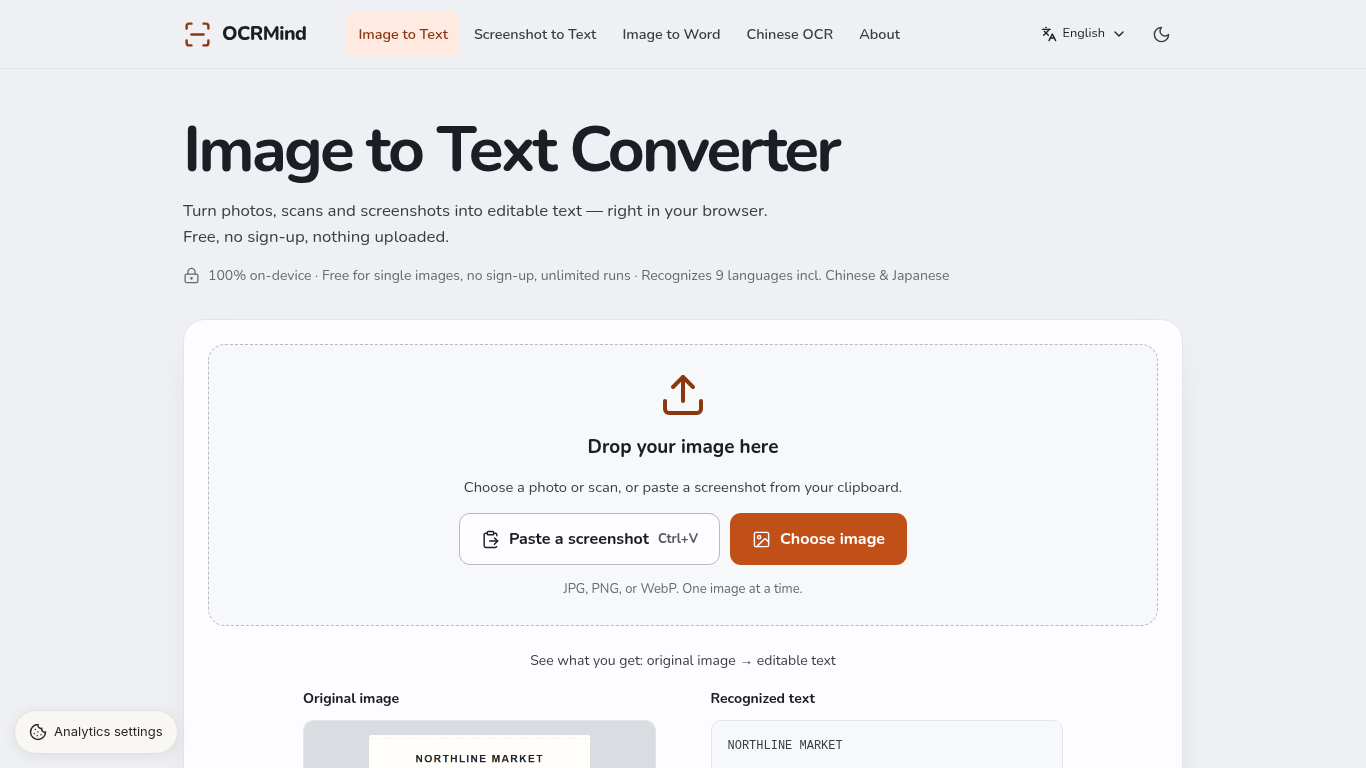
OCRMind is a free browser OCR tool that turns photos, scans and screenshots into editable text. Images are processed locally on your device. It supports JPG, PNG and WebP, one image at a time, and recognizes nine languages including English, Chinese and Japanese. Review the results, then copy text or export TXT, Word or Markdown. No account is required. Check important names, numbers and reading order before using the output.
Choose, drop or paste one image. Recognition starts automatically, after which you can check and edit the text, copy it, or export it.
Extract text from receipts, menus, book pages, screenshots and study notes.
Local browser OCR; JPG, PNG and WebP input; nine recognition languages; editable text; TXT, Word and Markdown export; no account required.
Q: Does my image leave my device? A: No. The image and OCR result are processed locally, although the site loads software and models over the network. Q: Can it read handwriting? A: It can try clear handwriting, but results vary and should be checked against the original.
같은 카테고리의 도구를 공통 카테고리 수, 누적 조회수 순으로 표시합니다. 기능을 비교하여 적합한 대안을 찾아보세요.
TallyClip은 정리가 안 된 은행 거래명세서 PDF를 깔끔한 Excel, CSV 또는 QuickBooks Online 가져오기용 파일로 변환합니다. 기장 담당자, 회계사,
Convert technical PDFs into Markdown, including formulas, tables and multi-column text. Includes layout-preserving translation and API/MCP w
Custom AI chatbot solutions tailored for businesses.
AI tool for extracting data from invoices efficiently.
AI tool for web scraping and automation.
API for extracting product data from any webpage effortlessly.
ToolsBot 누적 조회수순으로 정렬한 다른 도구입니다. 조회수가 같으면 최근 등록된 도구를 먼저 표시합니다.
Record your screen in the browser, cut video by editing the transcript, and share a link viewers can open without an account. Turn recording
Linger is a local-first Mac app for collecting and comparing design references. Save images with their source links and notes, find referenc
Upload a photo, poster or sign, type what the words should say, and get the same image back with the new text matched to the original font s
Press Start and talk: each sentence lands in your document about a second after you say it, with punctuation, in English, Chinese or both mi
FindLeadEmails finds work emails from a person's name and a company domain. It checks each address against the mail server before returning
Emailwish is an AI-powered, done-for-you (DFY) email marketing platform for Shopify and WooCommerce, built on a customer data platform (CDP)
제품 참고 링크: OCRMind — 제품 웹사이트.
도입 전에 제품 웹사이트에서 최신 기능, 가격 및 정책을 확인하세요.
ToolsBot은 제품 탐색과 비교를 위한 정보를 제공합니다. 등록이 제품에 대한 보증이나 주장의 정확성을 보장하지는 않습니다.