Your Personal AI
Tailored AI solutions for business innovation and optimization.
Be a virtual YouTuber with NO expensive devices!
게시 및 관리: ToolsBot 편집팀
| 제품 웹사이트 | Webcam Motion Capture |
|---|---|
| 범주 |
날짜는 ToolsBot 등록 기록에 관한 것으로, 제품 출시일이나 새로운 독립 평가일을 의미하지 않습니다.
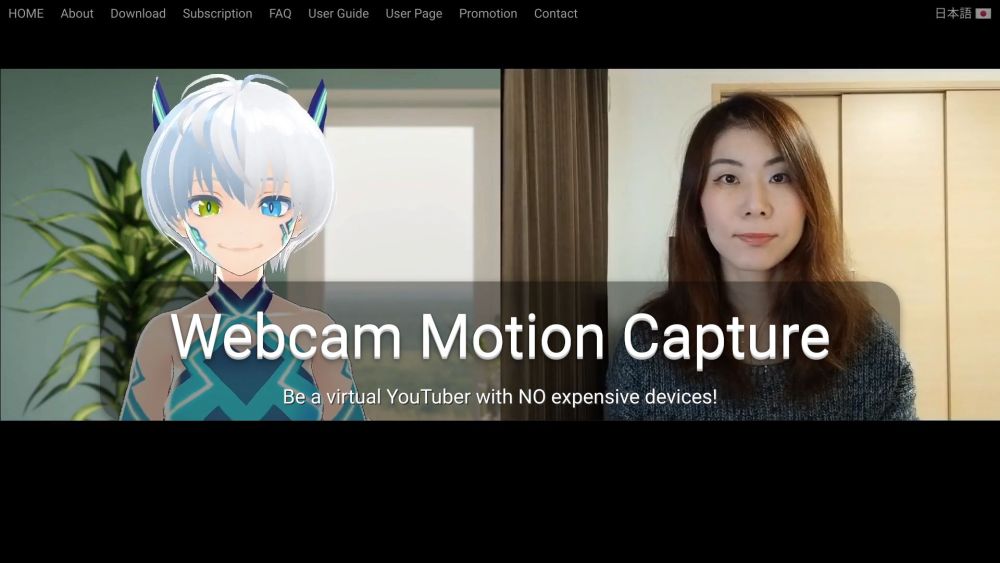
Be a virtual YouTuber with NO expensive devices!
Download and install the software. Use your computer or smartphone's camera to control your 3D avatar.
#1 Be a virtual YouTuber without expensive equipment #2 Add hand tracking to VTuber apps #3 Create character animations with motion capture
High Quality Hand and Finger Tracking with Only Webcam Realtime Webcam-based Hand Tracking in External Apps Save Motion Capture Data to FBX File
Can I use Webcam Motion Capture for live stream on YouTube? Can I use Webcam Motion Capture to create my own video using 3D avatars? My computer is not fast enough. Can I still use Webcam Motion Capture? How can I create my own 3D avatar? Can I set a video as a background? Can I use a smartphone as a webcam? What is the recommended setup? How can I hide my Webcam for live stream? Can I use Blend Shapes sent from Face Tracking mobile app? How can I use Webcam Motion Capture's Hand Tracking and VSeeFace's Face Tracking at the same time? I loaded my own VRM model but it does not move. What is the problem? I cannot open the app (or the app is blocked by anti-malware software). What should I do? My Webcam is not shown in the Webcam Motion Capture window. How should I fix this? Which OS is supported? Do I need to subscribe? Can I hide the UIs (or use the tracking data on external apps) without paying subscription fees? What if I cancel my subscription in the middle of my billing cycle? I don't like subscription-based payments. Is there any other option? I subscribed (or purchased a perpetual license) but the login password was not sent to my email address. What should I do? I want to change the credit card I use for payments. What should I do? Is my payment and personal information secure on your website? Can I use Webcam Motion Capture commercially? I forgot my password. What should I do? How can I unsubscribe?
같은 카테고리의 도구를 공통 카테고리 수, 누적 조회수 순으로 표시합니다. 기능을 비교하여 적합한 대안을 찾아보세요.
Tailored AI solutions for business innovation and optimization.
VideoPlus Studio is a free subtitle editor and translator that allows you to add subtitles to videos, edit and translate them to other langu
AI Transcription Service - Fast, Accurate, and Easy to Use
The new physiotherapist for the sales backbone of your company
AI platform for easy podcast creation and publishing.
AI proposal maker for tech consultants and agencies.
ToolsBot 누적 조회수순으로 정렬한 다른 도구입니다. 조회수가 같으면 최근 등록된 도구를 먼저 표시합니다.
무료 온라인 리캡 영상 제작: 사진을 추가하고 템플릿을 선택한 다음 비트에 맞춰 편집된 MP4를 다운로드하세요. 앱 설치와 회원가입이 필요 없습니다
Telegram에서 사진을 애니메이션, 수채화, 3D 아바타 등 다양한 창작 스타일로 변환하세요. 맞춤형 사진 인사 카드도 만들 수 있습니다. 신규 계정에
제품 업데이트를 채널에 바로 활용할 수 있는 마케팅 문구와 시각 자료로 전환하세요.
AI 에이전트를 위한 LinkedIn MCP.
의류 판매자를 위한 AI 제품 사진: 의류 사진으로 모델 착용 이미지, 고스트 마네킹 이미지, 플랫레이 이미지를 만들거나 배경을 제거하세요.
AI Photo Detector는 사진이 AI로 생성되었거나 편집되었는지 확인합니다. 분류 결과, 신뢰도 및 제공되는 영역 분석을 확인할 수 있습니다. 영어와
제품 참고 링크: Webcam Motion Capture — 제품 웹사이트.
도입 전에 제품 웹사이트에서 최신 기능, 가격 및 정책을 확인하세요.
ToolsBot은 제품 탐색과 비교를 위한 정보를 제공합니다. 등록이 제품에 대한 보증이나 주장의 정확성을 보장하지는 않습니다.