Instyll - Supercharged markdown notes
Instyll is a note-taking application made for markdown users who want to make the most of their writing experience. Instyll hones in on stre
GitBrain is an AI-powered Git client for Mac that simplifies your Git workflow and maximizes your coding productivity. It intelligently understands your code changes and provides suggestions for Git operations.
Published and maintained by ToolsBot Editorial Team
| Product website | https://gitbrain.dev/ |
|---|---|
| Category |
Dates refer to this ToolsBot listing, not the product’s launch date or a new independent review.
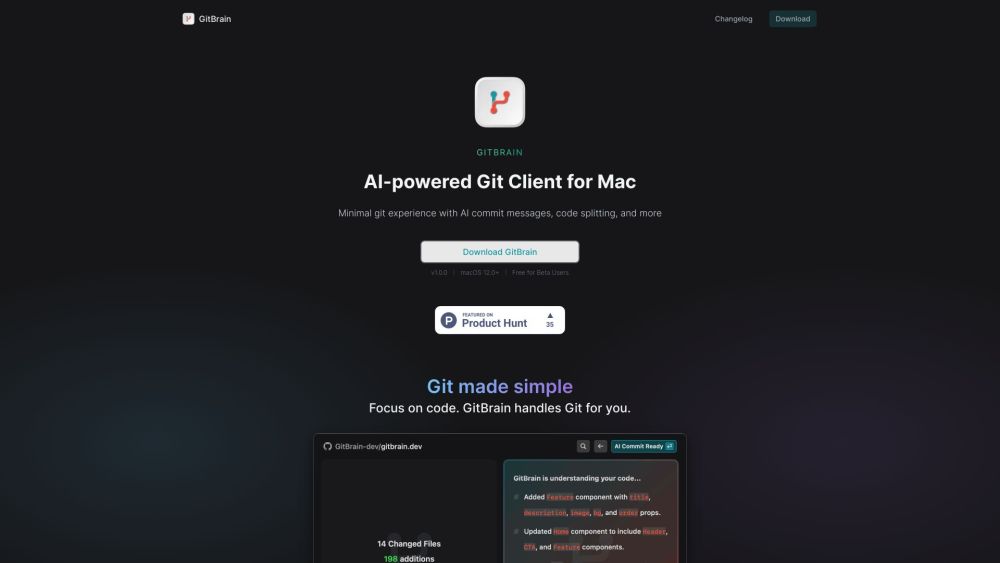
GitBrain is an AI-powered Git client for Mac that simplifies your Git workflow and maximizes your coding productivity. It intelligently understands your code changes and provides suggestions for Git operations.
To use GitBrain, simply download and install the application on your Mac. Once installed, open the GitBrain panel and it will automatically detect the project you're working on from your favorite IDEs. GitBrain provides a keyboard-friendly design with shortcuts for easy Git operations. It intelligently splits your code changes into multiple AI-generated commits and generates customizable commit messages. You can easily review your code changes with the self-code review feature, and GitBrain also offers optimized performance and a native UI for a seamless experience on your Mac.
#1 Simplifying Git workflow #2 Maximizing coding productivity #3 Efficient code change management #4 Easy code review before committing #5 Seamless Git management on Mac
AI-powered Git client Intelligent code change understanding Suggested Git operations Code splitting into multiple AI-generated commits Customizable commit messages Self-code review feature Auto-detection of current project from favorite IDEs Keyboard shortcuts for efficient Git workflow Optimized performance and native UI for Mac
What operating system does GitBrain support? Can I customize the commit messages generated by GitBrain? Does GitBrain work with my favorite IDE? Is GitBrain a native Mac application? What are some of the core features of GitBrain?
Tools in the same categories, ranked by shared categories and then total views. Compare their features to find a suitable alternative.
Instyll is a note-taking application made for markdown users who want to make the most of their writing experience. Instyll hones in on stre
Professional DynamoDB GUI Client
AiTerm is an AI-powered terminal assistant designed to assist developers and command-line users. It simplifies the process of converting nat
Code Fundi is an AI coding assistant that helps businesses and developers write better code faster by offering code debugging, code generati
AI assistant for efficient web browsing and interaction.
AI-driven onboarding platform for developers that automates processes.
More tools to explore, ranked by total views on ToolsBot. Newer listings come first when view counts are equal.
RapVideo AI turns one or two photos into an AI rap video, including the viral Hotel Lobby trend. It writes the lyrics, makes the beat, gener
AI video generation turning text and images into videos and animations for creators.
Online AI face swap for videos and photos, fast and free to try.
All-in-one AI image and video generator using many top models in one place.
输入一段文字描述或上传草图,即可在几分钟内生成符合制图规范的专业平面图,无需 CAD 基础。
Capafy AI is a browser-based AI video generator. Add up to 9 photos or write a prompt, pick one of 5 models (Seedance 2.5, Seedance 2.0, Kli
Product reference: GitBrain — Product website.
Check the product website for current capabilities, pricing and policies before adopting this tool.
ToolsBot provides directory information for discovery and comparison. A listing is not an endorsement or a guarantee of product claims.