Instyll - Supercharged markdown notes
Instyll is a note-taking application made for markdown users who want to make the most of their writing experience. Instyll hones in on stre
GitBrain is an AI-powered Git client for Mac that simplifies your Git workflow and maximizes your coding productivity. It intelligently understands your code changes and provides suggestions for Git operations.
Publicado y mantenido por Equipo editorial de ToolsBot
| Sitio web del producto | GitBrain |
|---|---|
| Categoría |
Las fechas corresponden al registro de ToolsBot, no al lanzamiento del producto ni a una nueva evaluación independiente.
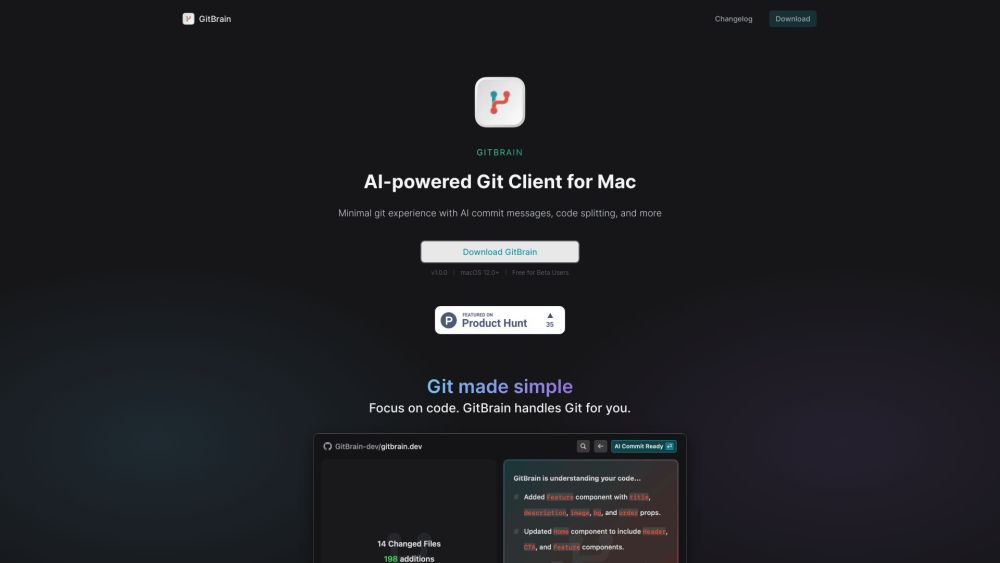
GitBrain is an AI-powered Git client for Mac that simplifies your Git workflow and maximizes your coding productivity. It intelligently understands your code changes and provides suggestions for Git operations.
To use GitBrain, simply download and install the application on your Mac. Once installed, open the GitBrain panel and it will automatically detect the project you're working on from your favorite IDEs. GitBrain provides a keyboard-friendly design with shortcuts for easy Git operations. It intelligently splits your code changes into multiple AI-generated commits and generates customizable commit messages. You can easily review your code changes with the self-code review feature, and GitBrain also offers optimized performance and a native UI for a seamless experience on your Mac.
#1 Simplifying Git workflow #2 Maximizing coding productivity #3 Efficient code change management #4 Easy code review before committing #5 Seamless Git management on Mac
AI-powered Git client Intelligent code change understanding Suggested Git operations Code splitting into multiple AI-generated commits Customizable commit messages Self-code review feature Auto-detection of current project from favorite IDEs Keyboard shortcuts for efficient Git workflow Optimized performance and native UI for Mac
What operating system does GitBrain support? Can I customize the commit messages generated by GitBrain? Does GitBrain work with my favorite IDE? Is GitBrain a native Mac application? What are some of the core features of GitBrain?
Herramientas de las mismas categorías, ordenadas por categorías compartidas y luego por visitas totales. Compara sus funciones para encontrar una alternativa adecuada.
Instyll is a note-taking application made for markdown users who want to make the most of their writing experience. Instyll hones in on stre
Professional DynamoDB GUI Client
AiTerm is an AI-powered terminal assistant designed to assist developers and command-line users. It simplifies the process of converting nat
Code Fundi is an AI coding assistant that helps businesses and developers write better code faster by offering code debugging, code generati
AI assistant for efficient web browsing and interaction.
AI-driven onboarding platform for developers that automates processes.
Más herramientas, ordenadas por visitas totales en ToolsBot. Con las mismas visitas, se muestran primero las publicaciones más recientes.
TaxBowl ofrece a startups y pequeñas empresas un equipo ágil para la gestión contable, la contabilidad, el apoyo con la nómina, la planifica
Genera videos cortos de hasta 1080p con audio sincronizado a partir de instrucciones, imágenes o medios de referencia. Regístrate para acced
Glasshand es un espacio de trabajo visible y revisable para agentes de IA que realizan tareas en pantalla. Delega la tarea, observa el sigui
Una interfaz para LLM dirigida a usuarios avanzados que desean un control detallado sobre los personajes, los prompts y los modelos locales.
HappyShrimp es una plataforma de música con IA todo en uno. Convierte una línea en una canción completa - con letra, voces y producción incl
AI直充 ofrece un servicio de recarga de suscripciones a GPT 5.6, compatible con pagos mediante WeChat, consulta de pedidos y reembolsos por
Referencia del producto: GitBrain — Sitio web del producto.
Consulta las funciones, los precios y las políticas actuales en el sitio del producto antes de utilizarlo.
ToolsBot ofrece información para descubrir y comparar productos. La inclusión no implica respaldo ni garantiza las afirmaciones del producto.