Instyll - Supercharged markdown notes
Instyll is a note-taking application made for markdown users who want to make the most of their writing experience. Instyll hones in on stre
GitBrain is an AI-powered Git client for Mac that simplifies your Git workflow and maximizes your coding productivity. It intelligently understands your code changes and provides suggestions for Git operations.
Veröffentlicht und gepflegt von ToolsBot-Redaktion
| Produktwebsite | GitBrain |
|---|---|
| Kategorie |
Die Daten beziehen sich auf den ToolsBot-Eintrag, nicht auf den Produktstart oder eine neue unabhängige Prüfung.
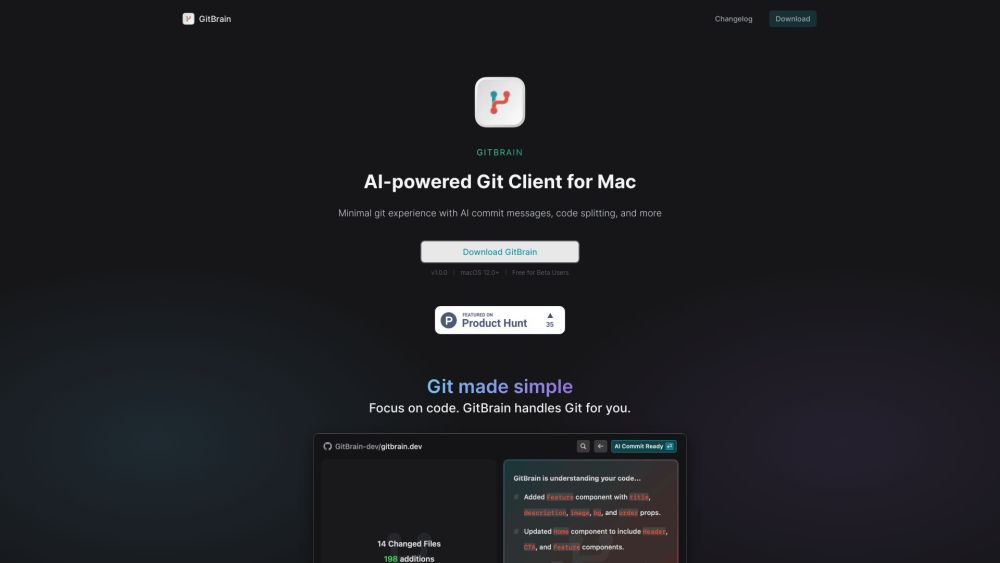
GitBrain is an AI-powered Git client for Mac that simplifies your Git workflow and maximizes your coding productivity. It intelligently understands your code changes and provides suggestions for Git operations.
To use GitBrain, simply download and install the application on your Mac. Once installed, open the GitBrain panel and it will automatically detect the project you're working on from your favorite IDEs. GitBrain provides a keyboard-friendly design with shortcuts for easy Git operations. It intelligently splits your code changes into multiple AI-generated commits and generates customizable commit messages. You can easily review your code changes with the self-code review feature, and GitBrain also offers optimized performance and a native UI for a seamless experience on your Mac.
#1 Simplifying Git workflow #2 Maximizing coding productivity #3 Efficient code change management #4 Easy code review before committing #5 Seamless Git management on Mac
AI-powered Git client Intelligent code change understanding Suggested Git operations Code splitting into multiple AI-generated commits Customizable commit messages Self-code review feature Auto-detection of current project from favorite IDEs Keyboard shortcuts for efficient Git workflow Optimized performance and native UI for Mac
What operating system does GitBrain support? Can I customize the commit messages generated by GitBrain? Does GitBrain work with my favorite IDE? Is GitBrain a native Mac application? What are some of the core features of GitBrain?
Tools aus denselben Kategorien, sortiert nach gemeinsamen Kategorien und dann nach Gesamtaufrufen. Vergleiche die Funktionen, um eine passende Alternative zu finden.
Instyll is a note-taking application made for markdown users who want to make the most of their writing experience. Instyll hones in on stre
Professional DynamoDB GUI Client
AiTerm is an AI-powered terminal assistant designed to assist developers and command-line users. It simplifies the process of converting nat
Code Fundi is an AI coding assistant that helps businesses and developers write better code faster by offering code debugging, code generati
AI assistant for efficient web browsing and interaction.
AI-driven onboarding platform for developers that automates processes.
Weitere Tools nach Gesamtaufrufen auf ToolsBot. Bei gleicher Aufrufzahl erscheinen neuere Einträge zuerst.
TaxBowl bietet Start-ups und kleinen Unternehmen ein reaktionsschnelles Team für Buchhaltung, Rechnungswesen, Lohn- und Gehaltsabrechnung, S
Erstelle kurze 1080p-Videos mit synchronisiertem Ton aus Prompts, Bildern oder Referenzmedien. Registriere dich, um das Studio sofort zu öff
Glasshand ist ein einsehbarer, überprüfbarer Arbeitsbereich für KI-Agenten, die Aufgaben am Bildschirm erledigen. Übergeben Sie die Aufgabe,
Ein LLM-Frontend für Power-User, die umfassende Kontrolle über Charaktere, Prompts und lokale Modelle wünschen.
HappyShrimp ist eine All-in-one-Plattform für KI-Musik. Verwandle eine einzige Zeile in einen vollständigen Song – inklusive Liedtext, Gesan
AI直充 bietet einen Aufladeservice für GPT 5.6-Abonnements und unterstützt WeChat Pay, die Bestellabfrage und Rückerstattungen bei fehlgesch
Produktreferenz: GitBrain — Produktwebsite.
Prüfe aktuelle Funktionen, Preise und Richtlinien auf der Produktwebsite, bevor du das Tool einsetzt.
ToolsBot hilft bei der Suche und beim Vergleich. Ein Eintrag ist keine Empfehlung oder Garantie für Produktangaben.