Intellisay
Create an optimal daily plan using your voice. Intellisay uses AI to help you plan and accomplish your day efficiently by speaking for 2 min
Voice Control for the Browser
Veröffentlicht und gepflegt von ToolsBot-Redaktion
| Produktwebsite | LipSurf |
|---|---|
| Kategorie |
Die Daten beziehen sich auf den ToolsBot-Eintrag, nicht auf den Produktstart oder eine neue unabhängige Prüfung.
Voice Control for the Browser
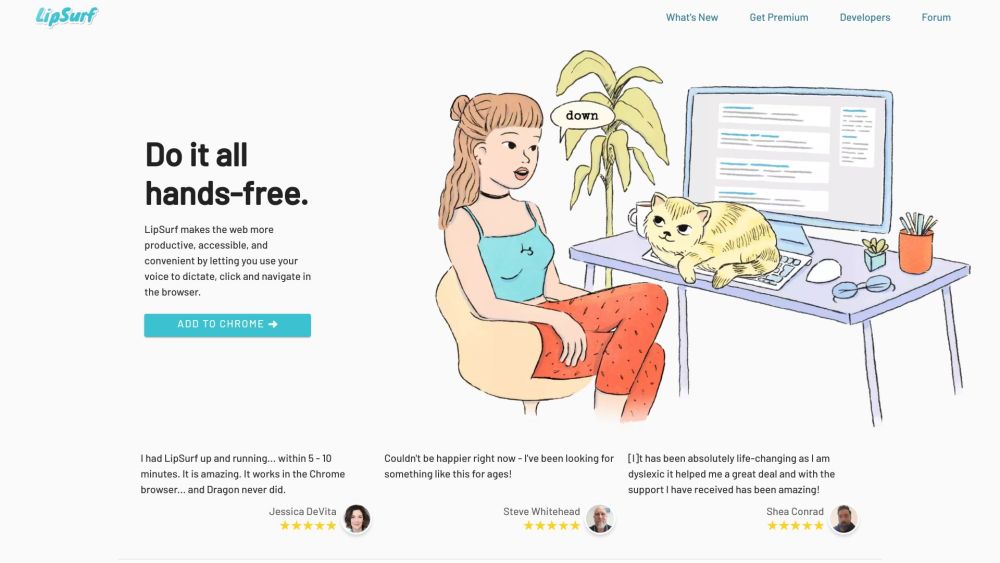
Do it all hands-free. LipSurf makes the web more productive, accessible, and convenient by letting you use your voice to dictate, click, and navigate in the browser.
#1 People with motor issues (Parkinson's, arthritis, RSI, etc.) #2 Productivity nerds #3 Computer professionals #4 Neurodiverse individuals (Dyslexia, ADHD)
Dictate and navigate in the browser Spend less time typing with speech-to-text Navigate the web hands-free Personalize voice shortcuts Prevent RSI/Carpal Tunnel Syndrome Multi-task while working No tracking, no ads, no selling your data Open-source plugins Works with existing computer hardware and microphone
Does LipSurf work with my browser? Do I need special hardware to use LipSurf? Is my data safe with LipSurf? Can I customize LipSurf to understand workplace jargon? Does LipSurf prevent RSI and Carpal Tunnel Syndrome?
Tools aus denselben Kategorien, sortiert nach gemeinsamen Kategorien und dann nach Gesamtaufrufen. Vergleiche die Funktionen, um eine passende Alternative zu finden.
Create an optimal daily plan using your voice. Intellisay uses AI to help you plan and accomplish your day efficiently by speaking for 2 min
Effortless meal tracking via WhatsApp chats. Simply talk about your meals and get instant dietary insights. Stay healthy, effortlessly!
Echonotes is a tool that turns your voice into written notes. Speak, and it writes for you, turning conversations, interviews, or any spoken
OutSKill is a desktop AI voice assistant designed for ultimate productivity and gaming domination. It helps users effortlessly perform multi
Speak with confidence and clarity and improve your communication skills in real-time.
Freed acts as a medical scribe, transcribing the patient visit and summarizing medically relevant information into the right format.
Weitere Tools nach Gesamtaufrufen auf ToolsBot. Bei gleicher Aufrufzahl erscheinen neuere Einträge zuerst.
KI-Kreativstudio für die Erstellung von Bildern, Videos, Musik und Sprachaufnahmen – alles an einem Ort.
Magi2AI ist eine unabhängige Webanwendung, die Sand.ai MAGI-2 nutzt, um filmreife KI-Videos in 1080p mit nativ synchronisiertem Audio aus Te
Verbinden Sie ChatGPT, Claude und Entwickler-Clients über SiftingIO MCP-Tools mit Echtzeit- und historischen Marktdaten für US-Aktien, Devis
KI-Generator für Videos ohne Gesicht: Verwandle jedes Thema in wenigen Minuten in ein vertontes und untertiteltes Kurzvideo für YouTube Shor
Entdecken Sie Pflanzideen anhand von Gartenfotos: benannte Bereiche, Pflanzenvorschläge, Verfeinerungen von Bereichen und eine teilbare Über
KI-Buchcoverdesign für unabhängige Autorinnen und Autoren. Generiere genreorientierte Illustrationen, bearbeite die Typografie und bereite E
Produktreferenz: LipSurf — Produktwebsite.
Prüfe aktuelle Funktionen, Preise und Richtlinien auf der Produktwebsite, bevor du das Tool einsetzt.
ToolsBot hilft bei der Suche und beim Vergleich. Ein Eintrag ist keine Empfehlung oder Garantie für Produktangaben.