Image Text Eraser
Image Text Eraser removes visible text from photos and screenshots and rebuilds the background. Eligible verified accounts receive 30 trial
Edit photos with a prompt — restyle outfits, recolor details, or turn a couple shot into anime. 10 real before/afters with public prompts.
게시 및 관리: ToolsBot 편집팀
| 제품 웹사이트 | TuneImage |
|---|---|
| 범주 | |
| ToolsBot 등록일 | |
| 등록 정보 수정일 |
날짜는 ToolsBot 등록 기록에 관한 것으로, 제품 출시일이나 새로운 독립 평가일을 의미하지 않습니다.
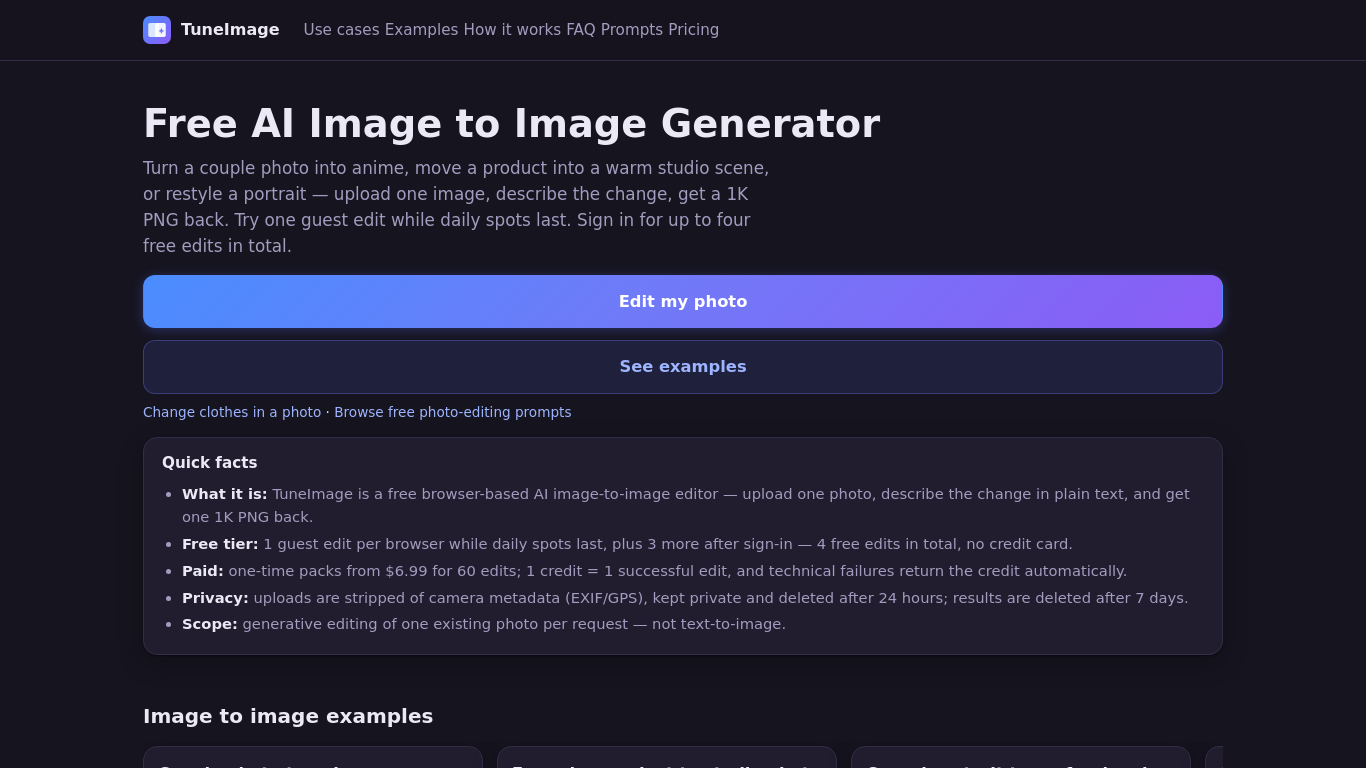
Upload one photo and describe an edit to restyle an outfit, recolor a detail, or turn a couple photo into anime. TuneImage shows 10 real before-and-after examples with public original prompts, plus an Optimize prompt button. It works in your browser and returns one downloadable 1K PNG per successful edit. Results vary, so review faces, hair, clothing edges and colors.
Upload one photo, describe the desired edit or choose a preset, select an aspect ratio, and generate a downloadable 1K PNG.
Restyle a couple photo as anime, create a product studio image or professional headshot, recolor an object, or redesign a room.
AI clothes changer, photo recolor, couple photo to anime, prompt-based photo editing. Freemium: one guest edit while daily spots last; up to four free edits after sign-in. One-time packs from $6.99 for 60 credits. No subscription.
Q: Can I try it for free? A: One guest edit is available while daily spots last; signing in provides up to four free edits in total. Q: What happens to uploaded photos? A: Uploads are private, stripped of camera metadata, and deleted after 24 hours. Results are deleted after seven days. Q: Can I merge two photos? A: No. The tool edits one existing photo per request.
같은 카테고리의 도구를 공통 카테고리 수, 누적 조회수 순으로 표시합니다. 기능을 비교하여 적합한 대안을 찾아보세요.
Image Text Eraser removes visible text from photos and screenshots and rebuilds the background. Eligible verified accounts receive 30 trial
RemoveText erases visible words from photos and rebuilds the covered background. Upload JPG, PNG or WebP, up to 10 images at once. A new acc
Upload a photo, pick how many pounds to lose or gain, and AI shows a realistic full-body before-and-after that still looks like you. First p
Upload a selfie and try 112 hairstyles or 36 hair colors on your own face in about 20 seconds, then take the picture to your stylist. Runs i
Ravana is an AI face swap bot for photos and videos in Telegram. New users get free credits. Use Multi-Face, batch swaps, Enhanced quality a
People Remover is a freemium browser tool that removes people from photos so you can clean up travel and group shots without installing soft
ToolsBot 누적 조회수순으로 정렬한 다른 도구입니다. 조회수가 같으면 최근 등록된 도구를 먼저 표시합니다.
독립적으로 운영되는 일일 퍼즐 페이지입니다. Sumbreak는 LinkedIn이 만든 일일 게임이며, 이 사이트는 LinkedIn과 제휴 관계가 없고 LinkedIn의 승
정답을 공개하기 전에 퀴즈 힌트를 확인해 보세요. 스포일러를 최소화한 예제를 풀어 본 다음, Krillion Daily에서 제한 시간이 있는 일곱 문제로 연
비공식 Trollheim: Gnomes 위키. 공식 자료를 바탕으로 출시 현황, 플랫폼, Steam 플레이테스트 참여 방식, 8인 협동 플레이, Väsen 및 PC 사양을 안
Anime Crusaders X 현장 가이드: 제보된 코드, 검색 가능한 유닛 티어, 저장 가능한 팀 구성 도구와 소환 확률 계산기를 확인하세요. 다음 Roblox 플
독립적인 Cork7 게임 가이드입니다. 조작법을 익히고, 스노보드를 마련하고, 코크 트릭을 연습하고, 공식 브라우저, 데스크톱 및 iOS 버전을 찾아보세
공식 출처를 통해 확인한 Realistic Ragdoll MMA 코드입니다. SORRY4UPD에 맞는 게임을 찾고, 보상을 비교하고, 흔한 코드 사용 문제를 해결하세요.
제품 참고 링크: TuneImage — 제품 웹사이트.
도입 전에 제품 웹사이트에서 최신 기능, 가격 및 정책을 확인하세요.
ToolsBot은 제품 탐색과 비교를 위한 정보를 제공합니다. 등록이 제품에 대한 보증이나 주장의 정확성을 보장하지는 않습니다.