VidAU
VidAU AI empowers you to create videos simply through product links or descriptions, with realistic AI avatars as your engaging spokesperson
CapCut is an all-in-one creative platform powered by AI that enables video editing and image design on browsers, Windows, Mac, Android, and iOS.
發布與維護: ToolsBot 編輯團隊
| 產品網站 | CapCut |
|---|---|
| 分類 |
日期僅表示 ToolsBot 收錄紀錄的時間,不代表產品上線時間或完成了新的獨立評測。
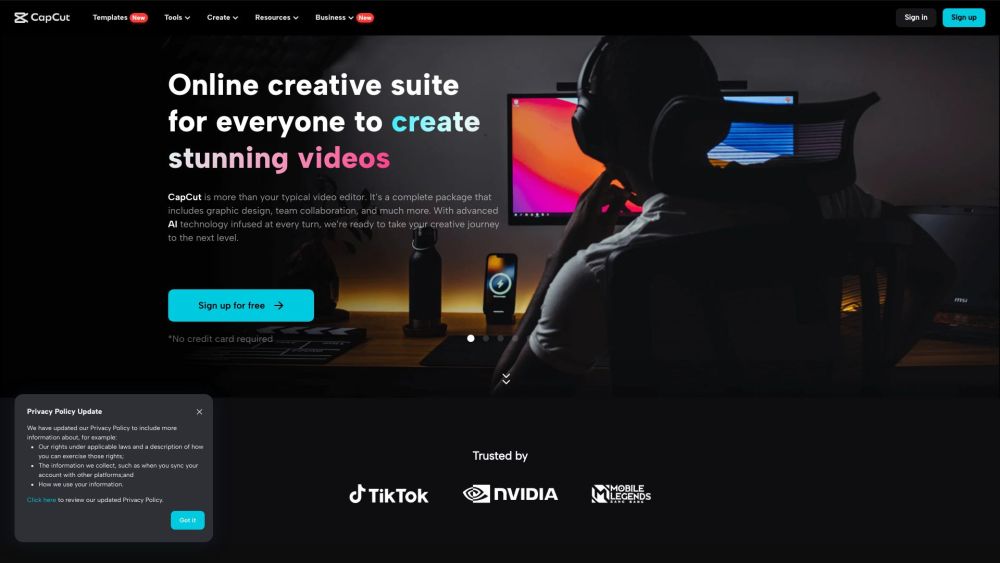
CapCut is an all-in-one creative platform powered by AI that enables video editing and image design on browsers, Windows, Mac, Android, and iOS.
CapCut offers a variety of tools and features for video editing and graphic design. Users can access CapCut online through their browser, download the desktop app for offline editing, or use the mobile app for on-the-go editing. With CapCut, users can trim, cut, and edit videos, add text and subtitles, incorporate music and sound effects, apply video effects and filters, remove backgrounds, upscale images and videos, and collaborate with team members.
#1 Online video editing #2 Graphic design #3 Business videos and ads #4 Social media content creation #5 Lifestyle videos #6 Marketing and branding
Video editor for desktop and mobile Video effects and filters Background remover Image upscaler Text-to-speech AI color correction Old photo restoration Portrait generator Resize video Collaboration tools Stock assets
What platforms does CapCut support? What features does CapCut offer for video editing? Can multiple users collaborate on a project in CapCut? Is there a free version of CapCut available? Does CapCut provide stock assets for video editing and design? Is my data and privacy secure with CapCut?
依共同分類數量及累計瀏覽量排序的相似工具,可比較功能後選擇合適的替代方案。
VidAU AI empowers you to create videos simply through product links or descriptions, with realistic AI avatars as your engaging spokesperson
TopView.ai is an AI video editor that allows users to upload their raw materials and ideas, and AI will do the rest, from scriptwriting to s
AI tool for quickly generating viral video clips and captions.
AI platform for creating magical experiences from selfies.
Transform long videos into engaging short clips for social media.
AI tool for creating engaging short videos instantly.
依 ToolsBot 累計瀏覽量排序的更多工具;瀏覽量相同時優先顯示較新收錄的工具。
免費線上回顧影片製作工具:加入照片、選擇範本,下載與節拍同步的 MP4。無須應用程式或註冊。影片製作完成後,照片即會刪除。
在 Telegram 中將照片轉換成動漫、水彩、3D 頭像及其他創意風格。製作個人化照片賀卡。新帳號可獲得 3 次試用額度;也可選擇使用 Telegram Stars 購買
將產品更新轉化為適合各平台發布的行銷文案和視覺素材。
專為 AI 代理打造的 LinkedIn MCP。
專為服裝賣家打造的 AI 商品攝影:利用服裝照片建立模特兒上身、隱形模特兒和平拍圖片,或移除背景。
AI Photo Detector 可檢查照片是否由 AI 生成或經過編輯。查看分類、信心度及可用的區域分析。支援英文和中文;登入後每月可免費檢測 3 次,另可選購
產品參考連結: CapCut — 產品網站.
採用此工具前,請到產品網站核實最新功能、價格與政策。
ToolsBot 提供目錄資訊,協助發現與比較產品。收錄不代表背書,也不保證產品聲明的準確性。