VidAU
VidAU AI empowers you to create videos simply through product links or descriptions, with realistic AI avatars as your engaging spokesperson
CapCut is an all-in-one creative platform powered by AI that enables video editing and image design on browsers, Windows, Mac, Android, and iOS.
发布与维护: ToolsBot 编辑团队
| 产品网站 | CapCut |
|---|---|
| 分类 |
日期仅表示 ToolsBot 收录记录的时间,不代表产品上线时间或完成了新的独立评测。
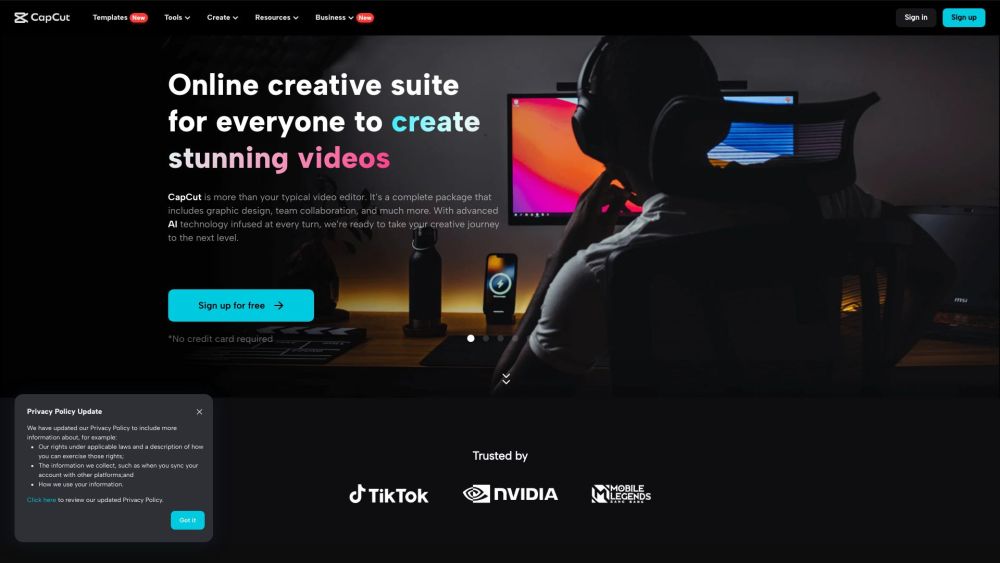
CapCut is an all-in-one creative platform powered by AI that enables video editing and image design on browsers, Windows, Mac, Android, and iOS.
CapCut offers a variety of tools and features for video editing and graphic design. Users can access CapCut online through their browser, download the desktop app for offline editing, or use the mobile app for on-the-go editing. With CapCut, users can trim, cut, and edit videos, add text and subtitles, incorporate music and sound effects, apply video effects and filters, remove backgrounds, upscale images and videos, and collaborate with team members.
#1 Online video editing #2 Graphic design #3 Business videos and ads #4 Social media content creation #5 Lifestyle videos #6 Marketing and branding
Video editor for desktop and mobile Video effects and filters Background remover Image upscaler Text-to-speech AI color correction Old photo restoration Portrait generator Resize video Collaboration tools Stock assets
What platforms does CapCut support? What features does CapCut offer for video editing? Can multiple users collaborate on a project in CapCut? Is there a free version of CapCut available? Does CapCut provide stock assets for video editing and design? Is my data and privacy secure with CapCut?
按共同分类数量及累计浏览量排序的相似工具,可比较功能后选择合适的替代方案。
VidAU AI empowers you to create videos simply through product links or descriptions, with realistic AI avatars as your engaging spokesperson
TopView.ai is an AI video editor that allows users to upload their raw materials and ideas, and AI will do the rest, from scriptwriting to s
AI tool for quickly generating viral video clips and captions.
AI platform for creating magical experiences from selfies.
Transform long videos into engaging short clips for social media.
AI tool for creating engaging short videos instantly.
按 ToolsBot 累计浏览量排序的更多工具;浏览量相同时优先展示较新收录的工具。
一站式 AI 创意工作室,用于生成图像、视频、音乐和配音。
Magi2AI 是一款独立的网络应用,由 Sand.ai MAGI-2 驱动,可根据文本或图像生成具有原生同步音频的电影级 1080p AI 视频。
通过 SiftingIO MCP 工具,将 ChatGPT、Claude 和开发者客户端连接到美股、外汇、大宗商品和加密货币的实时及历史市场数据。
AI 无真人出镜视频生成器:几分钟内将任何主题制作成带配音和字幕的短视频,适用于 YouTube Shorts、TikTok 和 Reels。无需摄像机。免费试用一次。
通过庭院照片探索种植方案:为区域命名、获取植物建议、优化区域,并生成可分享的方案简报。公测期间,每个账户可一次性获得六个免费使用额度;需登录
为独立作者提供 AI 书籍封面设计。生成符合题材风格的封面图案,编辑文字排版,并制作电子书封面和平装书全封面。付费套餐一次性收费,19 美元起;提
产品参考链接: CapCut — 产品网站.
采用此工具前,请到产品网站核实最新功能、价格与政策。
ToolsBot 提供目录信息,帮助发现与比较产品。收录不代表背书,也不保证产品声明的准确性。