Vidmoat
Ein KI-Videoeditor, dem du die Arbeit überlassen kannst: Beschreibe das Video und Otto bearbeitet es auf einer echten Timeline – von Unterti
VideoCutout removes video backgrounds in the browser and exports transparent WebM or a clip with a replacement background. Eligible verified accounts receive 5 trial credits for up to 5 seconds. Use costs 1 credit per started second (minimum 3). Further use is paid.
Veröffentlicht und gepflegt von ToolsBot-Redaktion
| Produktwebsite | VideoCutout |
|---|---|
| Kategorie | |
| Auf ToolsBot gelistet | |
| Eintrag aktualisiert |
Die Daten beziehen sich auf den ToolsBot-Eintrag, nicht auf den Produktstart oder eine neue unabhängige Prüfung.
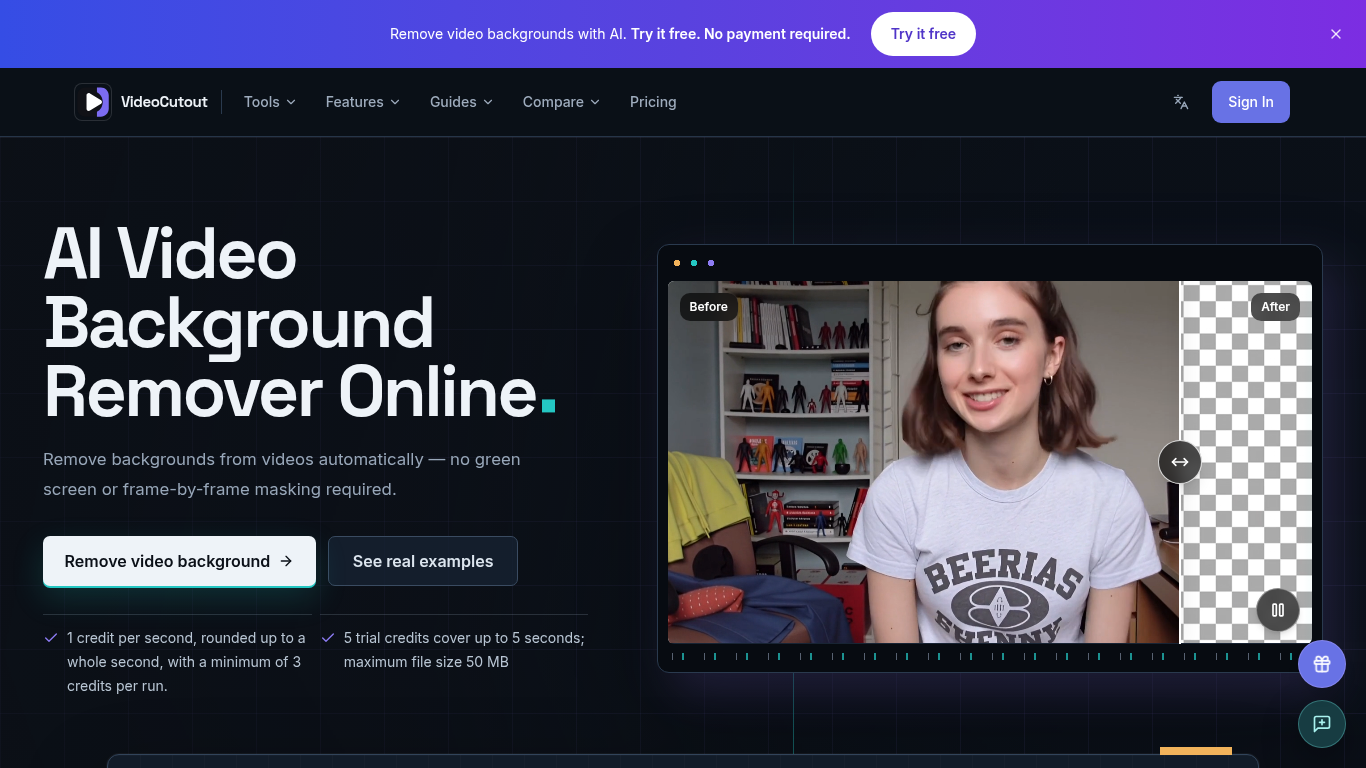
VideoCutout removes video backgrounds using AI and exports transparent videos or videos with a custom image background.
Upload a video or GIF, choose a transparent or custom image background, then process and download the result.
Create cutouts for creator videos, product demos, pet clips, and creative compositing.
Supports MP4, MOV, WebM, and GIF input; transparent WebM output; JPG, PNG, and WebP background images; and automatic foreground separation without a green screen.
Q: Is a green screen required? A: No. Q: Is there a free trial? A: Verified accounts receive 5 one-time trial credits, covering up to 5 seconds. Processing costs 1 credit per started second, with a minimum of 3 credits per run.
Tools aus denselben Kategorien, sortiert nach gemeinsamen Kategorien und dann nach Gesamtaufrufen. Vergleiche die Funktionen, um eine passende Alternative zu finden.
Ein KI-Videoeditor, dem du die Arbeit überlassen kannst: Beschreibe das Video und Otto bearbeitet es auf einer echten Timeline – von Unterti
Remove Watermark from Video is an online AI tool that cleans watermarks off videos you own. It rebuilds the area behind the mark instead of
Remove unwanted people, objects, logos or text from MP4 or MOV with an English prompt. Eligible verified accounts get 3 trial credits. Proce
Valmera is an AI video editor for footage you already have. Upload a recording, describe the cut you want, then review the result and ask fo
TextRemover.video is a browser-based AI tool that removes text, captions and hardcoded subtitles from videos. Upload a clip, choose a remova
OmniEditor is a free AI video editor: describe the result, add photos or clips, and an agent edits images and videos with you.
Weitere Tools nach Gesamtaufrufen auf ToolsBot. Bei gleicher Aufrufzahl erscheinen neuere Einträge zuerst.
Eine unabhängige Seite für tägliche Rätsel. Sumbreak ist ein tägliches Spiel von LinkedIn; diese Seite ist weder mit LinkedIn verbunden noch
Hol dir einen Quizhinweis, bevor du die Antwort aufdeckst. Probiere ein spoilerarmes Beispiel aus, spiele anschließend Krillion Daily und üb
Inoffizielles Wiki zu Trollheim: Gnomes. Veröffentlichungsstatus, Plattformen, Ablauf des Steam-Playtests, Koop-Modus für 8 Spieler, Väsen u
Dein Leitfaden für Anime Crusaders X: gemeldete Codes, durchsuchbare Einheiten-Ranglisten, ein Team-Builder mit Speicherfunktion und ein Rec
Dein unabhängiger Spielführer für Cork7. Lerne die Steuerung, hol dir ein Snowboard, übe Cork-Tricks und finde die offiziellen Browser-, Des
Realistic Ragdoll MMA-Codes, anhand offizieller Quellen überprüft. Finde das richtige Spiel für SORRY4UPD, vergleiche Belohnungen und löse h
Produktreferenz: VideoCutout — Produktwebsite.
Prüfe aktuelle Funktionen, Preise und Richtlinien auf der Produktwebsite, bevor du das Tool einsetzt.
ToolsBot hilft bei der Suche und beim Vergleich. Ein Eintrag ist keine Empfehlung oder Garantie für Produktangaben.