Trump Simulator
AI tool for generating Trump-style speeches and tweets.
CueCam lets you bring content into your video calls by giving your Mac a new virtual camera and mic. It connects to your iPhone and iPad to add drawing, cameras, and extra screens.
公開・管理: ToolsBot 編集チーム
| 製品サイト | https://cuecam-presenter.com/ |
|---|---|
| カテゴリー |
日付は ToolsBot の掲載記録を示し、製品の公開日や新たな独立評価の実施日ではありません。
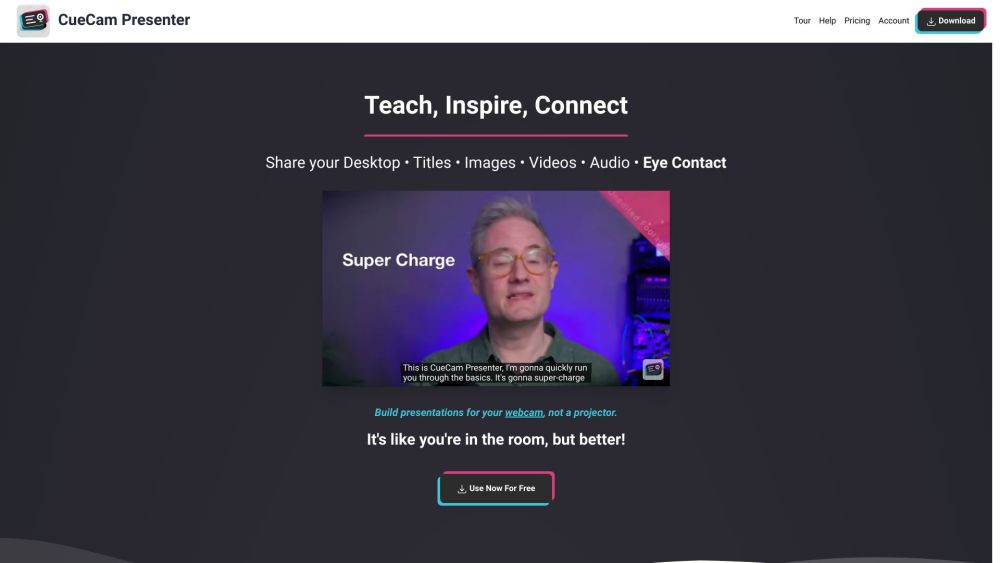
CueCam lets you bring content into your video calls by giving your Mac a new virtual camera and mic. It connects to your iPhone and iPad to add drawing, cameras, and extra screens.
Download CueCam on your Mac and connect your iPhone and iPad. Use your iPhone as a camera, teleprompter, and preview window. Use your iPad to draw on anything.
#1 Teaching - Share educational content and use teleprompter features. #2 Presenting Your Work - Showcase designs and annotate them with iPad drawing. #3 Sports Coaching - Analyze game footage, provide inspiration, and add music. #4 Sales Calls and Software Demos - Use teleprompter for notes and seamlessly switch to screen sharing. #5 Testimonials - Improve video production, engage with audience, and enhance meetings.
Virtual camera and mic for Mac Connect to iPhone and iPad Draw on anything with iPad
What does CueCam do?
同じカテゴリのツールを、共通カテゴリ数、累計閲覧数の順に表示します。機能を比較して適切な代替ツールを探しましょう。
AI tool for generating Trump-style speeches and tweets.
AI platform for perfecting business pitches with analysis and feedback.
AI writing assistant for clear and impactful communication.
AI writing assistant for improved content quality.
Free tool to convert AI text into human-like content.
AI writing assistant that personalizes to improve writing quality.
ToolsBot の累計閲覧数順で表示するその他のツールです。同数の場合は新しく掲載されたツールを優先します。
大人の肖像画から短い音楽パフォーマンスのリミックスを作成し、オリジナルの背景レンズとサウンドを添付します。
Drive AIは、世界中のすべてのファイルのインテリジェントなレイヤーであり、どこにあっても。これは、既存のファイルと読み込まれたファイルを単純な
大人の写真を14秒の垂直オフィスコンサートのビデオに変えます:あなたは赤いキーボードの上で伴奏歌手とサックスの伴奏と一緒に歌って、人工知能で生
ZIPZAXの475+無料オンラインツールには、執筆、要約、書き換えのための48の無料人工知能ツールがあります。リスボンの小さなチームによって建てられた
PCB及び電子品質制御のための産業用X線検出システム、AXI、産業用CT及びNDT装置の製造業者。本社は中国深センにある。
1枚の写真からビクトリアの秘密滑走路AIビデオを作成します。Kylie Jenner、Hadid、Ming Xi、Anok Yai、Jasmine Tookesの実際の前後の例を探索します
製品の参照先: CueCam — 製品サイト.
導入前に製品サイトで最新の機能、料金、ポリシーを確認してください。
ToolsBot は製品の発見と比較のための情報を提供します。掲載は推奨や製品の主張の保証を意味しません。