Trump Simulator
AI tool for generating Trump-style speeches and tweets.
CueCam lets you bring content into your video calls by giving your Mac a new virtual camera and mic. It connects to your iPhone and iPad to add drawing, cameras, and extra screens.
發布與維護: ToolsBot 編輯團隊
| 產品網站 | https://cuecam-presenter.com/ |
|---|---|
| 分類 |
日期僅表示 ToolsBot 收錄紀錄的時間,不代表產品上線時間或完成了新的獨立評測。
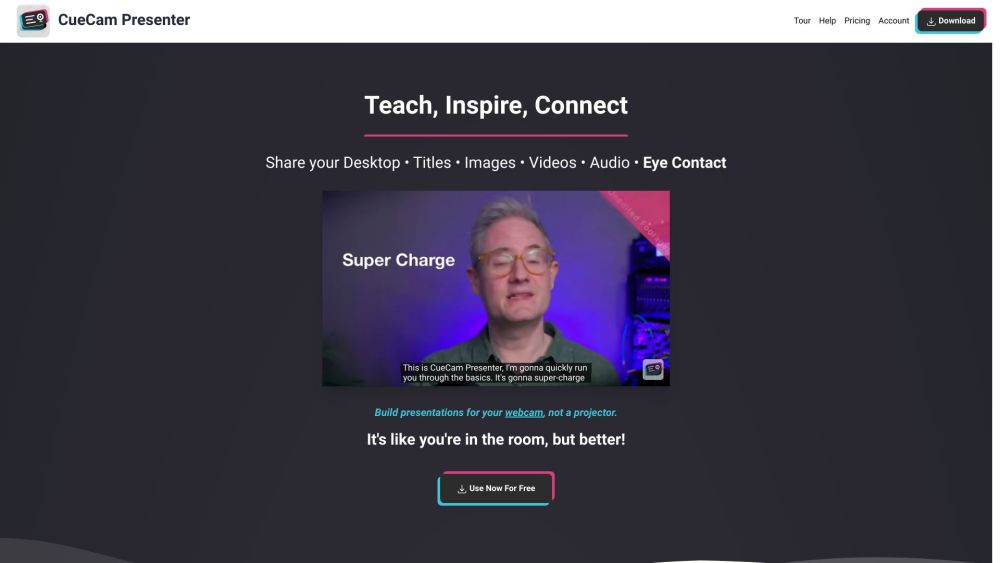
CueCam lets you bring content into your video calls by giving your Mac a new virtual camera and mic. It connects to your iPhone and iPad to add drawing, cameras, and extra screens.
Download CueCam on your Mac and connect your iPhone and iPad. Use your iPhone as a camera, teleprompter, and preview window. Use your iPad to draw on anything.
#1 Teaching - Share educational content and use teleprompter features. #2 Presenting Your Work - Showcase designs and annotate them with iPad drawing. #3 Sports Coaching - Analyze game footage, provide inspiration, and add music. #4 Sales Calls and Software Demos - Use teleprompter for notes and seamlessly switch to screen sharing. #5 Testimonials - Improve video production, engage with audience, and enhance meetings.
Virtual camera and mic for Mac Connect to iPhone and iPad Draw on anything with iPad
What does CueCam do?
依共同分類數量及累計瀏覽量排序的相似工具,可比較功能後選擇合適的替代方案。
AI tool for generating Trump-style speeches and tweets.
AI platform for perfecting business pitches with analysis and feedback.
AI writing assistant for clear and impactful communication.
AI writing assistant for improved content quality.
Free tool to convert AI text into human-like content.
AI writing assistant that personalizes to improve writing quality.
依 ToolsBot 累計瀏覽量排序的更多工具;瀏覽量相同時優先顯示較新收錄的工具。
免費線上AI視頻生成器:使用Seedance 2.5、Kling 4.0、Veo 3.1等創建具有原生音訊和唇形同步的電影文字到視頻和影像到視頻片段。
一站开通 ChatGPT Plus/Pro、Grok、Cursor、Gemini 会员,支付宝付款,充到你自己的账号,服务费公开,30 天质保。
ChatGPT Plus、Pro 5x、Pro 20x 会员充值,支付宝付款,充到你自己的账号,没有美金卡也能开通,30 天质保。
使用授權成人肖像的原始音訊創建虛構的案頭音樂會視頻。 選擇一個引線和最多四個可選的樂隊成員,然後下載一個MP4。 20個學分從9.90美元起支付。 獨立
SyncStudy幫助學生將公共YouTube播放清單轉化為結構化課程。 在一個地方組織視頻課程,跟蹤你的進度,記下帶時間戳記的筆記,並管理你的學習。 專為準
FaceTiers是一個免費的吸引力測試。 設備上的人臉地標模型在瀏覽器內的照片上放置了478個點,囙此影像永遠不會離開您的設備。 它量測眼角傾斜度、下頜
產品參考連結: CueCam — 產品網站.
採用此工具前,請到產品網站核實最新功能、價格與政策。
ToolsBot 提供目錄資訊,協助發現與比較產品。收錄不代表背書,也不保證產品聲明的準確性。