Trump Simulator
AI tool for generating Trump-style speeches and tweets.
CueCam lets you bring content into your video calls by giving your Mac a new virtual camera and mic. It connects to your iPhone and iPad to add drawing, cameras, and extra screens.
发布与维护: ToolsBot 编辑团队
| 产品网站 | https://cuecam-presenter.com/ |
|---|---|
| 分类 |
日期仅表示 ToolsBot 收录记录的时间,不代表产品上线时间或完成了新的独立评测。
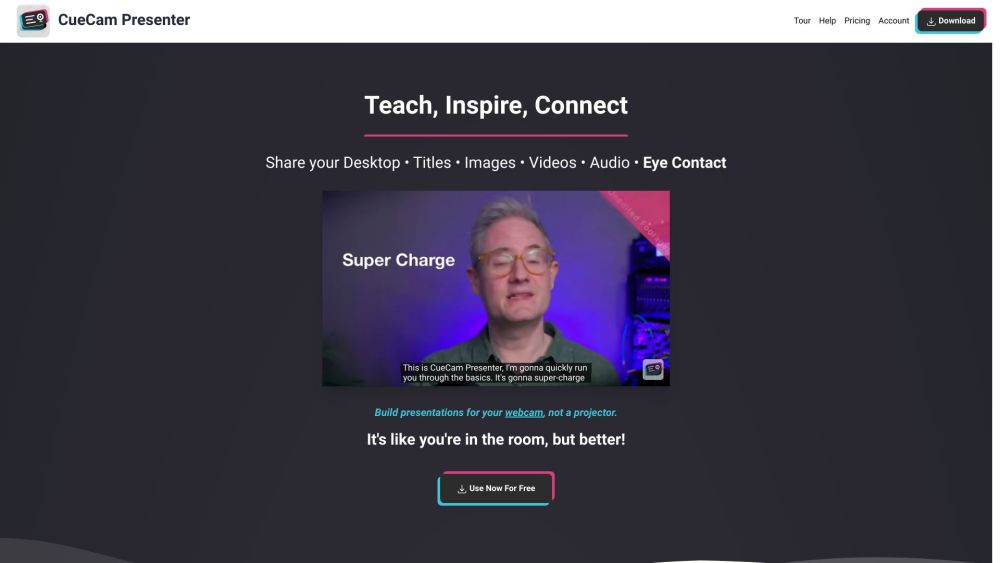
CueCam lets you bring content into your video calls by giving your Mac a new virtual camera and mic. It connects to your iPhone and iPad to add drawing, cameras, and extra screens.
Download CueCam on your Mac and connect your iPhone and iPad. Use your iPhone as a camera, teleprompter, and preview window. Use your iPad to draw on anything.
#1 Teaching - Share educational content and use teleprompter features. #2 Presenting Your Work - Showcase designs and annotate them with iPad drawing. #3 Sports Coaching - Analyze game footage, provide inspiration, and add music. #4 Sales Calls and Software Demos - Use teleprompter for notes and seamlessly switch to screen sharing. #5 Testimonials - Improve video production, engage with audience, and enhance meetings.
Virtual camera and mic for Mac Connect to iPhone and iPad Draw on anything with iPad
What does CueCam do?
按共同分类数量及累计浏览量排序的相似工具,可比较功能后选择合适的替代方案。
AI tool for generating Trump-style speeches and tweets.
AI platform for perfecting business pitches with analysis and feedback.
AI writing assistant for clear and impactful communication.
AI writing assistant for improved content quality.
Free tool to convert AI text into human-like content.
AI writing assistant that personalizes to improve writing quality.
按 ToolsBot 累计浏览量排序的更多工具;浏览量相同时优先展示较新收录的工具。
从成人肖像中创作一段简短的音乐表演混音,并附上原始的背景镜头和配乐。
Drive AI是世界上所有文件的智能层,无论它们在哪里。它按照用简单英语设置的规则组织现有和传入的文件,重命名带有无意义名称的文件并自动归档。
将一张成人照片变成一段14秒的垂直办公室音乐会视频:你在红色键盘上与伴唱歌手和萨克斯伴奏一起唱歌,用人工智能生成的人声和音乐。独立工具,一次性
ZIPZAX的475+免费在线工具中有48个免费的人工智能工具,用于写作、总结和重写。由里斯本的一个小团队建造。
用于PCB和电子质量控制的工业X射线检测系统、AXI、工业CT和NDT设备的制造商。总部位于中国深圳。
从一张照片创建一个维多利亚的秘密跑道AI视频。探索Kylie Jenner,Hadid,Ming Xi,Anok Yai和Jasmine Tookes的真实前后的例子。
产品参考链接: CueCam — 产品网站.
采用此工具前,请到产品网站核实最新功能、价格与政策。
ToolsBot 提供目录信息,帮助发现与比较产品。收录不代表背书,也不保证产品声明的准确性。