Trump Simulator
AI tool for generating Trump-style speeches and tweets.
CueCam lets you bring content into your video calls by giving your Mac a new virtual camera and mic. It connects to your iPhone and iPad to add drawing, cameras, and extra screens.
Đăng và duy trì bởi Nhóm biên tập ToolsBot
| Trang web sản phẩm | https://cuecam-presenter.com/ |
|---|---|
| Danh mục |
Các ngày này thuộc hồ sơ ToolsBot, không phải ngày ra mắt sản phẩm hoặc ngày đánh giá độc lập mới.
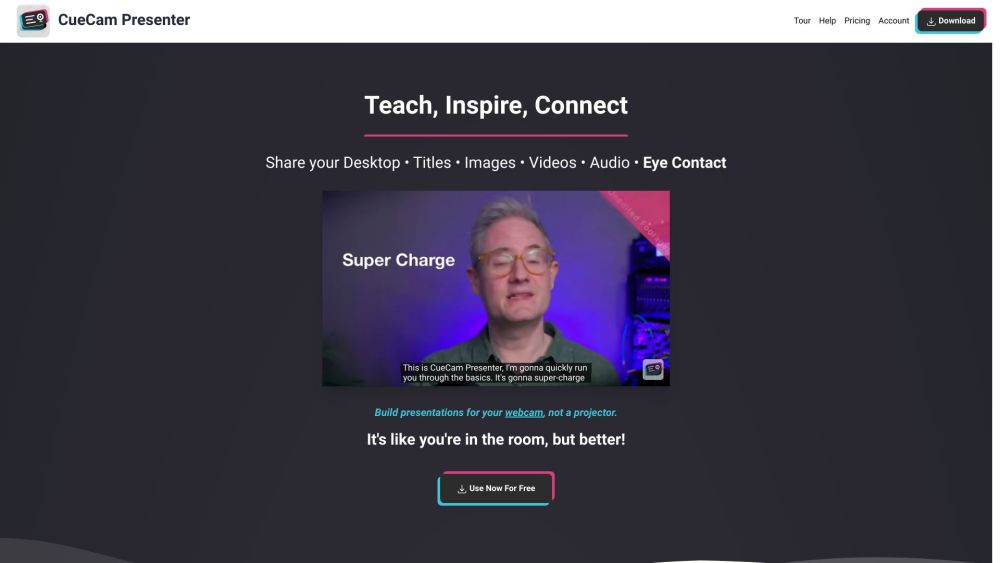
CueCam lets you bring content into your video calls by giving your Mac a new virtual camera and mic. It connects to your iPhone and iPad to add drawing, cameras, and extra screens.
Download CueCam on your Mac and connect your iPhone and iPad. Use your iPhone as a camera, teleprompter, and preview window. Use your iPad to draw on anything.
#1 Teaching - Share educational content and use teleprompter features. #2 Presenting Your Work - Showcase designs and annotate them with iPad drawing. #3 Sports Coaching - Analyze game footage, provide inspiration, and add music. #4 Sales Calls and Software Demos - Use teleprompter for notes and seamlessly switch to screen sharing. #5 Testimonials - Improve video production, engage with audience, and enhance meetings.
Virtual camera and mic for Mac Connect to iPhone and iPad Draw on anything with iPad
What does CueCam do?
Công cụ cùng danh mục, xếp theo số danh mục chung rồi đến tổng lượt xem. So sánh tính năng để tìm lựa chọn thay thế phù hợp.
AI tool for generating Trump-style speeches and tweets.
AI platform for perfecting business pitches with analysis and feedback.
AI writing assistant for clear and impactful communication.
AI writing assistant for improved content quality.
Free tool to convert AI text into human-like content.
AI writing assistant that personalizes to improve writing quality.
Các công cụ khác xếp theo tổng lượt xem trên ToolsBot. Khi lượt xem bằng nhau, công cụ được đăng gần đây hơn sẽ xuất hiện trước.
Máy tạo video AI trực tuyến miễn phí: tạo các clip văn bản sang video và hình ảnh sang video điện ảnh với âm thanh bản địa và đồng bộ môi bằ
一站开通 ChatGPT Plus / Pro, Grok, Cursor và Gemini 会员,支付宝付款,充到你自己的账号,服务费公开,30 天质保。
ChatGPT Plus, Pro 5x và Pro 20x 会员充值,支付宝付款,充到你自己的账号,没有美金卡也能开通,30 天质保。
Tạo video hòa nhạc hư cấu với âm thanh gốc từ chân dung người lớn được ủy quyền. Chọn một lead và tối đa bốn bandmates tùy chọn, sau đó tải
SyncStudy giúp sinh viên biến danh sách phát YouTube công khai thành các khóa học có cấu trúc. Tổ chức các bài học video, theo dõi tiến bộ c
FaceTiers là một bài kiểm tra hấp dẫn miễn phí. Một mô hình trên thiết bị đặt 478 điểm trên ảnh của bạn bên trong trình duyệt, vì vậy hình ả
Tham khảo sản phẩm: CueCam — Trang web sản phẩm.
Kiểm tra tính năng, giá và chính sách hiện tại trên trang web sản phẩm trước khi sử dụng.
ToolsBot cung cấp thông tin để khám phá và so sánh. Việc đăng trong danh mục không phải là sự chứng thực hay bảo đảm cho tuyên bố của sản phẩm.