Trump Simulator
AI tool for generating Trump-style speeches and tweets.
CueCam lets you bring content into your video calls by giving your Mac a new virtual camera and mic. It connects to your iPhone and iPad to add drawing, cameras, and extra screens.
Veröffentlicht und gepflegt von ToolsBot-Redaktion
| Produktwebsite | https://cuecam-presenter.com/ |
|---|---|
| Kategorie |
Die Daten beziehen sich auf den ToolsBot-Eintrag, nicht auf den Produktstart oder eine neue unabhängige Prüfung.
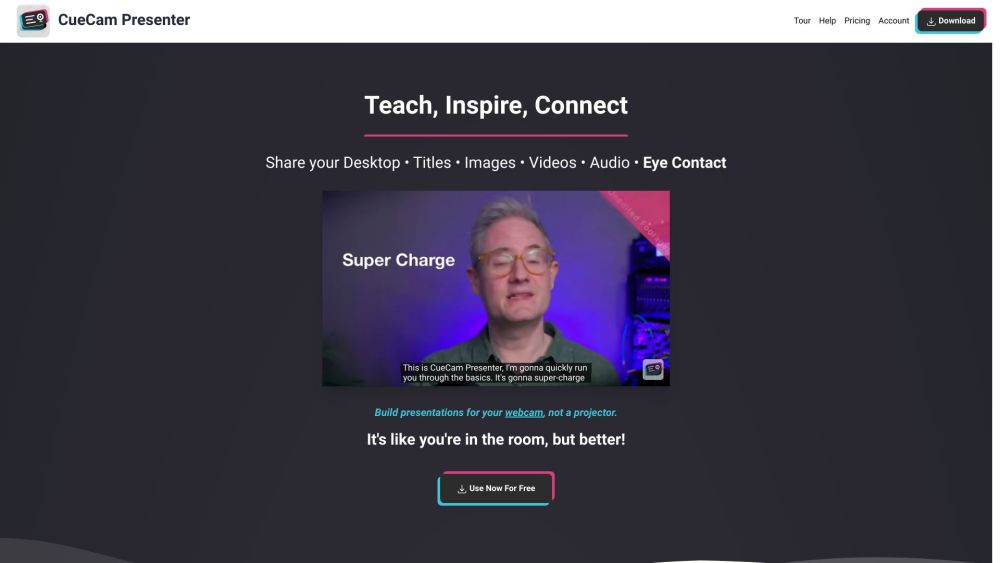
CueCam lets you bring content into your video calls by giving your Mac a new virtual camera and mic. It connects to your iPhone and iPad to add drawing, cameras, and extra screens.
Download CueCam on your Mac and connect your iPhone and iPad. Use your iPhone as a camera, teleprompter, and preview window. Use your iPad to draw on anything.
#1 Teaching - Share educational content and use teleprompter features. #2 Presenting Your Work - Showcase designs and annotate them with iPad drawing. #3 Sports Coaching - Analyze game footage, provide inspiration, and add music. #4 Sales Calls and Software Demos - Use teleprompter for notes and seamlessly switch to screen sharing. #5 Testimonials - Improve video production, engage with audience, and enhance meetings.
Virtual camera and mic for Mac Connect to iPhone and iPad Draw on anything with iPad
What does CueCam do?
Tools aus denselben Kategorien, sortiert nach gemeinsamen Kategorien und dann nach Gesamtaufrufen. Vergleiche die Funktionen, um eine passende Alternative zu finden.
AI tool for generating Trump-style speeches and tweets.
AI platform for perfecting business pitches with analysis and feedback.
AI writing assistant for clear and impactful communication.
AI writing assistant for improved content quality.
Free tool to convert AI text into human-like content.
AI writing assistant that personalizes to improve writing quality.
Weitere Tools nach Gesamtaufrufen auf ToolsBot. Bei gleicher Aufrufzahl erscheinen neuere Einträge zuerst.
Erstellen Sie einen kurzen Musik-Performance-Remix aus einem Erwachsenenporträt, mit den Original-Backing-Aufnahmen und Soundtrack.
Die Drive AI ist die Intelligenzschicht für alle Dateien der Welt, egal wo sie sich befinden. Es organisiert bestehende und eingehende Datei
Verwandeln Sie ein erwachsenes Foto in ein 14-Sekunden-vertikales Büro-Konzertvideo: Sie singen Lead an einer roten Tastatur mit Backing-Sän
48 kostenlose KI-Tools zum Schreiben, Zusammenfassen und Umschreiben, innerhalb der 475+ kostenlosen Online-Tools von ZIPZAX. Gebaut von ein
Hersteller von industriellen Röntgenprüfungssystemen, AXI, industriellen CT- und NDT-Geräten für PCB- und Elektronikqualitätskontrolle. Sitz
Erstellen Sie ein Victoria Secret Runway AI-Video aus einem Foto. Entdecken Sie Kylie Jenner, Hadid, Ming Xi, Anok Yai und Jasmine Tookes Lo
Produktreferenz: CueCam — Produktwebsite.
Prüfe aktuelle Funktionen, Preise und Richtlinien auf der Produktwebsite, bevor du das Tool einsetzt.
ToolsBot hilft bei der Suche und beim Vergleich. Ein Eintrag ist keine Empfehlung oder Garantie für Produktangaben.