TINY DESK AI
AI video generator that turns your photos into a desk-concert session. Upload portraits locally, choose the lead and optional bandmates, and
Framov turns images or keyframes into short clips. Editors can set the first and last frames to guide a transition, or extract a still from existing footage before creating new motion.
게시 및 관리: ToolsBot 편집팀
| 제품 웹사이트 | Framov |
|---|---|
| 범주 | |
| ToolsBot 등록일 | |
| 등록 정보 수정일 |
날짜는 ToolsBot 등록 기록에 관한 것으로, 제품 출시일이나 새로운 독립 평가일을 의미하지 않습니다.
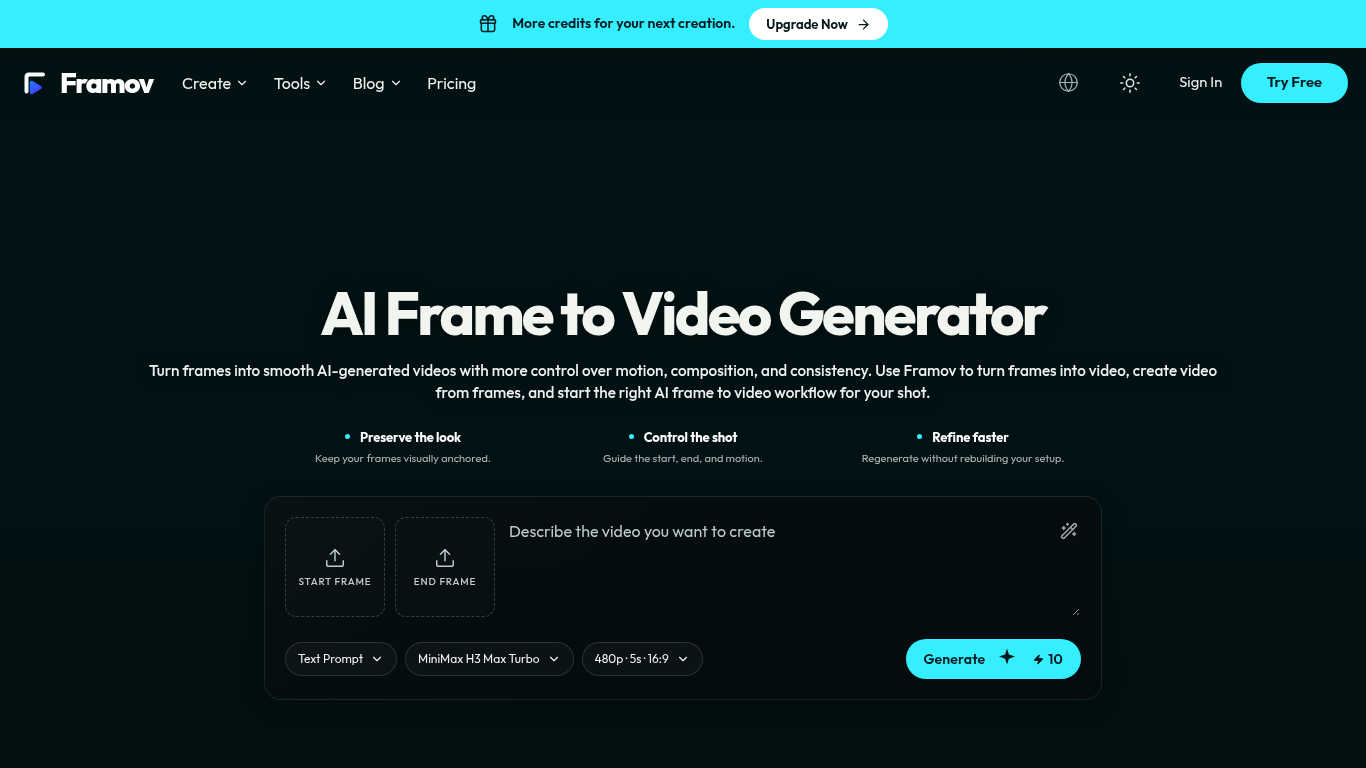
Framov turns images or frames into AI-generated videos.
Choose a workflow, upload one or more frames, describe the desired motion, adjust settings, and generate a clip.
Animate characters and products, create camera movements, and generate transitions between scenes.
Single-image, start-and-end-frame, two-frame, and keyframe workflows; motion prompts; video frame extraction; multiple AI models.
Q: Can I create a video between two frames? A: Yes, when the selected model supports start and end frame control.
같은 카테고리의 도구를 공통 카테고리 수, 누적 조회수 순으로 표시합니다. 기능을 비교하여 적합한 대안을 찾아보세요.
AI video generator that turns your photos into a desk-concert session. Upload portraits locally, choose the lead and optional bandmates, and
AI video generator powered by VEO3, Nano Banana Pro and Sora2: text-to-video, image-to-video, and viral templates for social content.
Plan short videos with editable scene timings and notes, then export a text brief without signing in. The separate text-to-video and image-t
Vidion은 텍스트 프롬프트로 짧은 동영상의 초안을 만들거나 시작 이미지를 애니메이션으로 만드는 독립적인 웹 앱입니다. OpenAI 또는 공식 Sora 제
MiniMax H3 AI Video Generator는 간단한 설명, 정지 이미지 또는 참고 미디어로 짧은 클립을 제작하는 웹 작업 공간입니다. 생성하기 전에 장면을 조
Cyanvid는 AI 동영상 생성기입니다. 검증된 8개의 모델로 텍스트나 이미지에서 동영상을 만들고, 사양을 비교하며, 생성 전에 정확한 크레딧 견적을
ToolsBot 누적 조회수순으로 정렬한 다른 도구입니다. 조회수가 같으면 최근 등록된 도구를 먼저 표시합니다.
AI agent that gets your brand recommended by ChatGPT, Gemini, Perplexity, Claude and Google
Pixvael converts any image into a 128×128 Minecraft Java map art build. Crop, edit blocks one by one, and get exact material counts. Exports
MakeFont is an AI font generator: describe a style or upload handwriting, let AI draw the full character set, edit glyphs in your browser, a
HereLinkMe is a smart bio-link platform: one measurable profile for links, music, shows, and campaigns—with analytics that turn visits into
Rap Video Studio helps you turn photos into short AI-generated rap performances. Upload one or two photos, choose a scene, and add a topic o
Mermaid Online is a free web editor for Mermaid diagrams. Write Mermaid syntax and see live previews of flowcharts, sequence diagrams, and m
제품 참고 링크: Framov — 제품 웹사이트.
도입 전에 제품 웹사이트에서 최신 기능, 가격 및 정책을 확인하세요.
ToolsBot은 제품 탐색과 비교를 위한 정보를 제공합니다. 등록이 제품에 대한 보증이나 주장의 정확성을 보장하지는 않습니다.