One-line prompt to narrated explainer MP4
Phong cách kể chuyện bằng dữ liệu, bảng trắng và thuyết trình; AI viết kịch bản, thuyết minh, vẽ và soạn nhạc cho video dài 15-60 giây có ph
Framov turns images or keyframes into short clips. Editors can set the first and last frames to guide a transition, or extract a still from existing footage before creating new motion.
Đăng và duy trì bởi Nhóm biên tập ToolsBot
| Trang web sản phẩm | Framov |
|---|---|
| Danh mục | |
| Ngày đăng trên ToolsBot | |
| Ngày cập nhật hồ sơ |
Các ngày này thuộc hồ sơ ToolsBot, không phải ngày ra mắt sản phẩm hoặc ngày đánh giá độc lập mới.
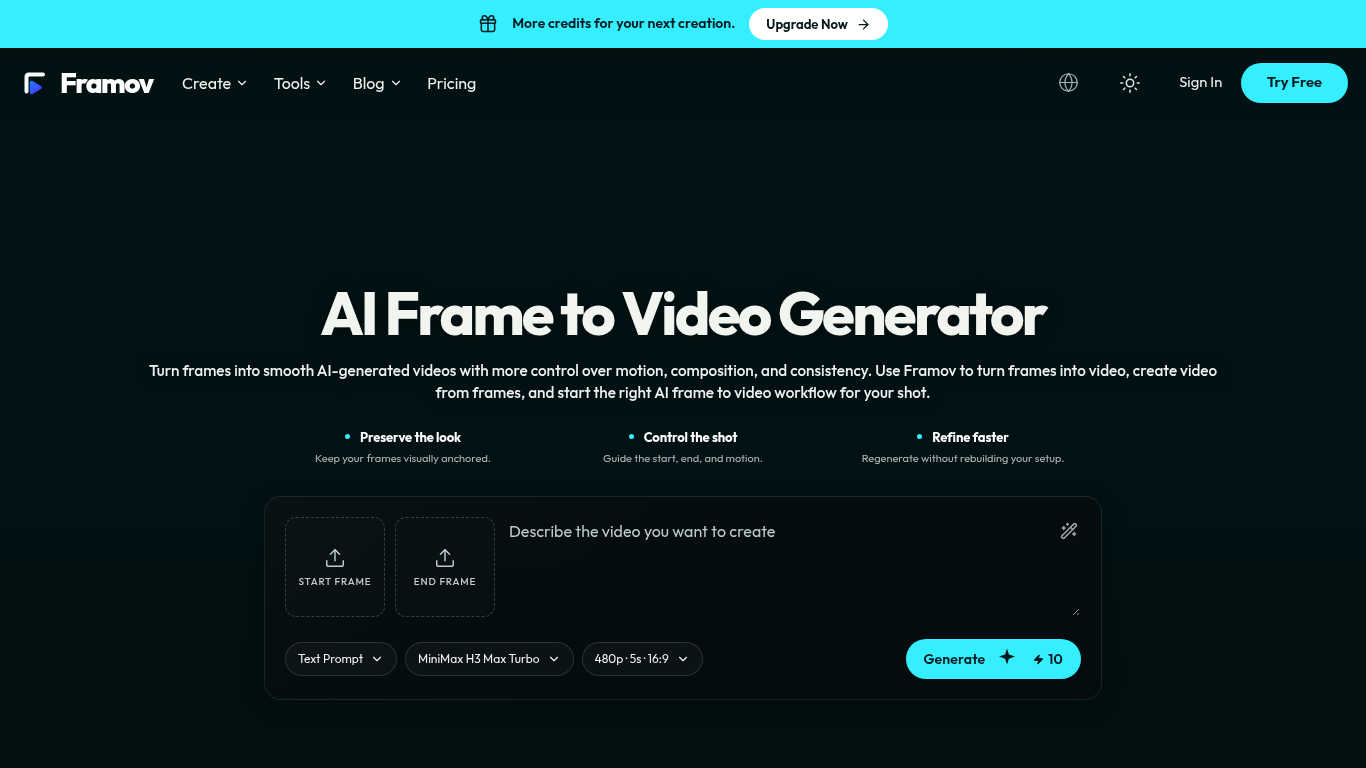
Framov turns images or frames into AI-generated videos.
Choose a workflow, upload one or more frames, describe the desired motion, adjust settings, and generate a clip.
Animate characters and products, create camera movements, and generate transitions between scenes.
Single-image, start-and-end-frame, two-frame, and keyframe workflows; motion prompts; video frame extraction; multiple AI models.
Q: Can I create a video between two frames? A: Yes, when the selected model supports start and end frame control.
Công cụ cùng danh mục, xếp theo số danh mục chung rồi đến tổng lượt xem. So sánh tính năng để tìm lựa chọn thay thế phù hợp.
Phong cách kể chuyện bằng dữ liệu, bảng trắng và thuyết trình; AI viết kịch bản, thuyết minh, vẽ và soạn nhạc cho video dài 15-60 giây có ph
AI video generator that turns your photos into a desk-concert session. Upload portraits locally, choose the lead and optional bandmates, and
AI video generator powered by VEO3, Nano Banana Pro and Sora2: text-to-video, image-to-video, and viral templates for social content.
Plan short videos with editable scene timings and notes, then export a text brief without signing in. The separate text-to-video and image-t
Vidion là một ứng dụng web độc lập giúp phác thảo video ngắn từ câu lệnh văn bản hoặc tạo chuyển động cho ảnh đầu vào. Vidion không liên kết
MiniMax H3 AI Video Generator là một không gian làm việc trên web để tạo các đoạn video ngắn từ bản mô tả ngắn, hình ảnh tĩnh hoặc tư liệu t
Các công cụ khác xếp theo tổng lượt xem trên ToolsBot. Khi lượt xem bằng nhau, công cụ được đăng gần đây hơn sẽ xuất hiện trước.
Công cụ chuyển đổi âm thanh thành văn bản trực tuyến cho MP3, M4A, WAV, MP4 và các tệp phương tiện khác.
Nói theo bất kỳ thứ tự nào hoặc tải lên một bản ghi âm, rồi nhận ghi chú rõ ràng với các tiêu đề, gạch đầu dòng và danh sách việc cần làm -
Phần mềm điều phối ưu tiên SMS dành cho các cơ sở dịch vụ tại hiện trường có 2–10 xe. Kỹ thuật viên không cần cài ứng dụng — họ chỉ cần trả
Công cụ AI tạo trang tô màu miễn phí, biến văn bản hoặc ảnh thành các trang tô màu có thể in và biến ảnh thành chân dung hoạt hình.
Trò chuyện với nhân vật AI và kể chuyện tương tác. Tạo các nhân vật hư cấu tùy chỉnh và khám phá hình thức nhập vai qua văn bản.
Animate Photo Online – Thổi hồn vào chân dung và những kỷ niệm
Tham khảo sản phẩm: Framov — Trang web sản phẩm.
Kiểm tra tính năng, giá và chính sách hiện tại trên trang web sản phẩm trước khi sử dụng.
ToolsBot cung cấp thông tin để khám phá và so sánh. Việc đăng trong danh mục không phải là sự chứng thực hay bảo đảm cho tuyên bố của sản phẩm.