Bluedot
Bluedot est une extension Chrome basée sur l'IA qui automatise les notes de réunion en enregistrant, transcrivant et résumant les réunions a
Backtrack is a Mac menu bar recorder that allows users to save their past audio, screen, and microphone recordings. It is designed to help users in various use cases such as recording meetings, client calls, brainstorming sessions, user interviews, sales calls, webinars, conference booths, bug reporting, and more.
Publié et maintenu par Équipe éditoriale ToolsBot
| Site du produit | https://www.usebacktrack.com/ |
|---|---|
| Catégorie |
Les dates concernent la fiche ToolsBot, et non le lancement du produit ou une nouvelle évaluation indépendante.
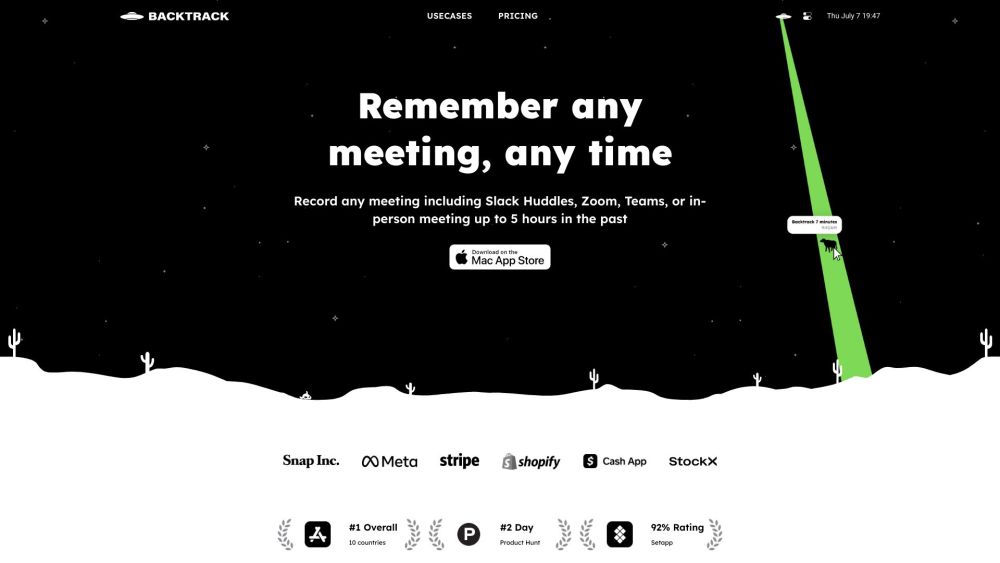
Backtrack is a Mac menu bar recorder that allows users to save their past audio, screen, and microphone recordings. It is designed to help users in various use cases such as recording meetings, client calls, brainstorming sessions, user interviews, sales calls, webinars, conference booths, bug reporting, and more.
To use Backtrack, simply install the app on your Mac. Once installed, the Backtrack icon will appear in your menu bar. Click and drag the icon to save up to 1 hour of in-person or Zoom calls in the past. Backtrack automatically remembers the most recent 1 hour of internal/external audio and screen. You can preview and customize what you want to save from Zoom calls and in-person conversations before downloading. The recordings are completely private to you until you create a sharable link.
#1 Recording Slack Huddles #2 Client Calls #3 Brainstorming Sessions #4 User Interviews #5 Sales Calls #6 Webinars #7 Conference Booths #8 Bug Reporting
Locally record up to 5 hours past audio, screen, or microphone Preview and customize recordings before downloading Upload recordings to the cloud for AI note-taking Generate AI transcripts and summaries Save recordings from various platforms such as Zoom, Slack Huddles, in-person meetings, and more
What platforms does Backtrack support for recording? How far back can I record with Backtrack? Can I customize what I want to save from Zoom calls or in-person conversations? Is my recording data private?
Outils des mêmes catégories, classés par catégories communes puis par nombre total de visites. Comparez leurs fonctions pour trouver une alternative adaptée.
Bluedot est une extension Chrome basée sur l'IA qui automatise les notes de réunion en enregistrant, transcrivant et résumant les réunions a
Fellow is the only AI meeting assistant built with privacy and security in mind. It supports the before, during, and after every meeting wit
AI tool to automate sales tasks and improve efficiency.
Apowersoft is a provider of free multimedia and online business solutions, helping users to record, enrich, convert and deliver multimedia c
AI platform for easy podcast creation and publishing.
Tailored AI solutions for business innovation and optimization.
Autres outils classés par nombre total de visites sur ToolsBot. À égalité, les fiches les plus récentes apparaissent en premier.
RapVideo AI turns one or two photos into an AI rap video, including the viral Hotel Lobby trend. It writes the lyrics, makes the beat, gener
AI video generation turning text and images into videos and animations for creators.
Online AI face swap for videos and photos, fast and free to try.
All-in-one AI image and video generator using many top models in one place.
输入一段文字描述或上传草图,即可在几分钟内生成符合制图规范的专业平面图,无需 CAD 基础。
Capafy AI is a browser-based AI video generator. Add up to 9 photos or write a prompt, pick one of 5 models (Seedance 2.5, Seedance 2.0, Kli
Référence du produit : Backtrack — Site du produit.
Consultez le site du produit pour vérifier ses fonctionnalités, tarifs et politiques actuels avant de l’adopter.
ToolsBot facilite la découverte et la comparaison. Une fiche ne constitue ni une approbation ni une garantie des affirmations du produit.