Bluedot
Bluedot ist eine KI-basierte Chrome-Erweiterung, die Meetingnotizen automatisiert, indem sie Meetings mit KI-generierten Notizen aufzeichnen
Backtrack is a Mac menu bar recorder that allows users to save their past audio, screen, and microphone recordings. It is designed to help users in various use cases such as recording meetings, client calls, brainstorming sessions, user interviews, sales calls, webinars, conference booths, bug reporting, and more.
Veröffentlicht und gepflegt von ToolsBot-Redaktion
| Produktwebsite | Backtrack |
|---|---|
| Kategorie |
Die Daten beziehen sich auf den ToolsBot-Eintrag, nicht auf den Produktstart oder eine neue unabhängige Prüfung.
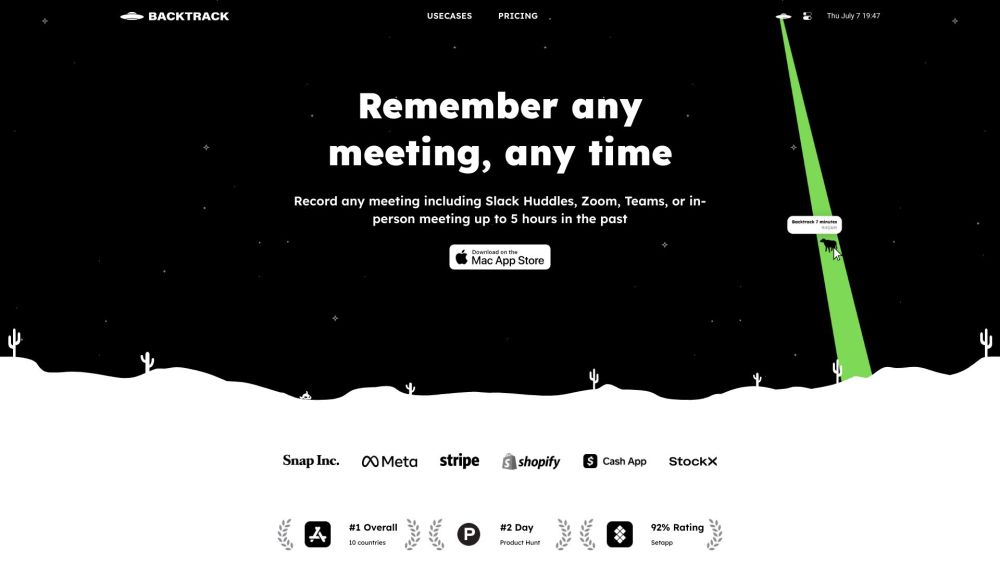
Backtrack is a Mac menu bar recorder that allows users to save their past audio, screen, and microphone recordings. It is designed to help users in various use cases such as recording meetings, client calls, brainstorming sessions, user interviews, sales calls, webinars, conference booths, bug reporting, and more.
To use Backtrack, simply install the app on your Mac. Once installed, the Backtrack icon will appear in your menu bar. Click and drag the icon to save up to 1 hour of in-person or Zoom calls in the past. Backtrack automatically remembers the most recent 1 hour of internal/external audio and screen. You can preview and customize what you want to save from Zoom calls and in-person conversations before downloading. The recordings are completely private to you until you create a sharable link.
#1 Recording Slack Huddles #2 Client Calls #3 Brainstorming Sessions #4 User Interviews #5 Sales Calls #6 Webinars #7 Conference Booths #8 Bug Reporting
Locally record up to 5 hours past audio, screen, or microphone Preview and customize recordings before downloading Upload recordings to the cloud for AI note-taking Generate AI transcripts and summaries Save recordings from various platforms such as Zoom, Slack Huddles, in-person meetings, and more
What platforms does Backtrack support for recording? How far back can I record with Backtrack? Can I customize what I want to save from Zoom calls or in-person conversations? Is my recording data private?
Tools aus denselben Kategorien, sortiert nach gemeinsamen Kategorien und dann nach Gesamtaufrufen. Vergleiche die Funktionen, um eine passende Alternative zu finden.
Bluedot ist eine KI-basierte Chrome-Erweiterung, die Meetingnotizen automatisiert, indem sie Meetings mit KI-generierten Notizen aufzeichnen
Fellow is the only AI meeting assistant built with privacy and security in mind. It supports the before, during, and after every meeting wit
AI tool to automate sales tasks and improve efficiency.
Apowersoft is a provider of free multimedia and online business solutions, helping users to record, enrich, convert and deliver multimedia c
AI platform for easy podcast creation and publishing.
Tailored AI solutions for business innovation and optimization.
Weitere Tools nach Gesamtaufrufen auf ToolsBot. Bei gleicher Aufrufzahl erscheinen neuere Einträge zuerst.
Kostenloser Online-Editor für Rückblickvideos: Fotos hinzufügen, Vorlage auswählen und ein auf den Beat abgestimmtes MP4 herunterladen. Kein
Verwandle Fotos direkt in Telegram in Anime, Aquarelle, 3D-Avatare und andere kreative Stile. Erstelle personalisierte Foto-Grußkarten. Neue
Verwandle Produktupdates in kanalreife Marketingtexte und visuelle Inhalte.
Das LinkedIn MCP für KI-Agenten.
KI-Produktfotografie für Kleidungshändler: Erstelle aus Kleidungsfotos Bilder mit Models, Ghost-Mannequin- und Flat-Lay-Bilder oder entferne
AI Photo Detector prüft Fotos auf KI-Generierung und Bearbeitung. Zeigen Sie die Klassifizierung, den Konfidenzwert und gegebenenfalls eine
Produktreferenz: Backtrack — Produktwebsite.
Prüfe aktuelle Funktionen, Preise und Richtlinien auf der Produktwebsite, bevor du das Tool einsetzt.
ToolsBot hilft bei der Suche und beim Vergleich. Ein Eintrag ist keine Empfehlung oder Garantie für Produktangaben.