Bluedot
Bluedot is an AI-powered Chrome extension that automates meeting notes by recording, transcribing, and summarizing meetings with AI-generate
Backtrack is a Mac menu bar recorder that allows users to save their past audio, screen, and microphone recordings. It is designed to help users in various use cases such as recording meetings, client calls, brainstorming sessions, user interviews, sales calls, webinars, conference booths, bug reporting, and more.
Published and maintained by ToolsBot Editorial Team
| Product website | Backtrack |
|---|---|
| Category |
Dates refer to this ToolsBot listing, not the product’s launch date or a new independent review.
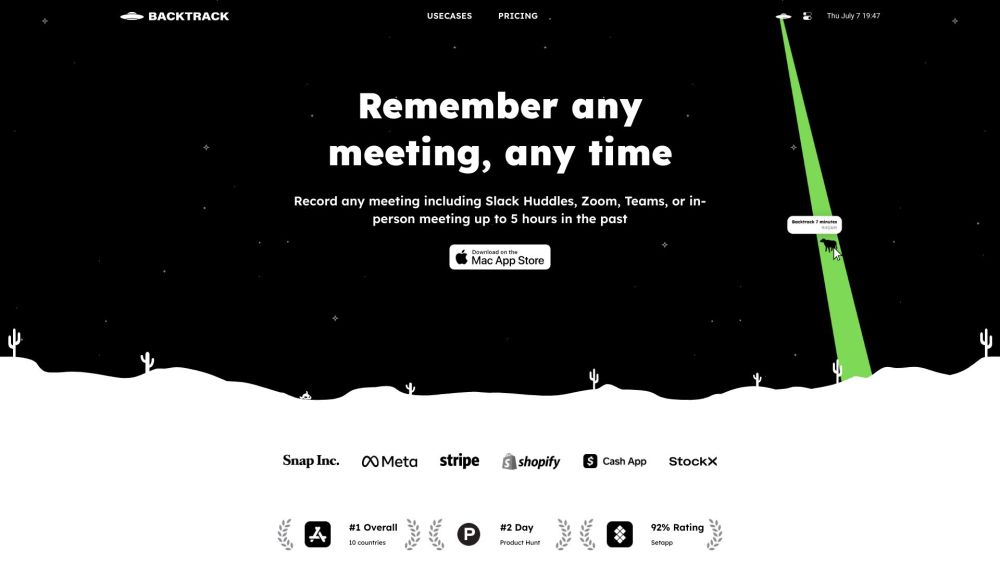
Backtrack is a Mac menu bar recorder that allows users to save their past audio, screen, and microphone recordings. It is designed to help users in various use cases such as recording meetings, client calls, brainstorming sessions, user interviews, sales calls, webinars, conference booths, bug reporting, and more.
To use Backtrack, simply install the app on your Mac. Once installed, the Backtrack icon will appear in your menu bar. Click and drag the icon to save up to 1 hour of in-person or Zoom calls in the past. Backtrack automatically remembers the most recent 1 hour of internal/external audio and screen. You can preview and customize what you want to save from Zoom calls and in-person conversations before downloading. The recordings are completely private to you until you create a sharable link.
#1 Recording Slack Huddles #2 Client Calls #3 Brainstorming Sessions #4 User Interviews #5 Sales Calls #6 Webinars #7 Conference Booths #8 Bug Reporting
Locally record up to 5 hours past audio, screen, or microphone Preview and customize recordings before downloading Upload recordings to the cloud for AI note-taking Generate AI transcripts and summaries Save recordings from various platforms such as Zoom, Slack Huddles, in-person meetings, and more
What platforms does Backtrack support for recording? How far back can I record with Backtrack? Can I customize what I want to save from Zoom calls or in-person conversations? Is my recording data private?
Tools in the same categories, ranked by shared categories and then total views. Compare their features to find a suitable alternative.
Bluedot is an AI-powered Chrome extension that automates meeting notes by recording, transcribing, and summarizing meetings with AI-generate
Fellow is the only AI meeting assistant built with privacy and security in mind. It supports the before, during, and after every meeting wit
AI tool to automate sales tasks and improve efficiency.
Apowersoft is a provider of free multimedia and online business solutions, helping users to record, enrich, convert and deliver multimedia c
AI platform for easy podcast creation and publishing.
Tailored AI solutions for business innovation and optimization.
More tools to explore, ranked by total views on ToolsBot. Newer listings come first when view counts are equal.
An online audio-to-text converter for MP3, M4A, WAV, MP4 and other media files.
Data-story, whiteboard and keynote looks; AI writes the script, narrates, draws and scores a 15-60 second film with SRT subtitles.
Talk in any order, or upload a voice memo, and get clean notes with headings, bullet points and a to-do list - or an email, journal entry, l
SMS-first dispatch software for field-service shops running 2–10 trucks. Techs never install an app — they reply to a text. Flat pricing fro
Free AI coloring page generator that turns text or photos into printable coloring pages, and photos into cartoon portraits.
AI character chat and interactive storytelling. Create custom fictional characters and explore text-based roleplay.
Product reference: Backtrack — Product website.
Check the product website for current capabilities, pricing and policies before adopting this tool.
ToolsBot provides directory information for discovery and comparison. A listing is not an endorsement or a guarantee of product claims.