Bluedot
Bluedot là một phần mở rộng Chrome được hỗ trợ bởi AI tự động hóa ghi chú cuộc họp bằng cách ghi lại, phiên bản và tóm tắt các cuộc họp với
Backtrack is a Mac menu bar recorder that allows users to save their past audio, screen, and microphone recordings. It is designed to help users in various use cases such as recording meetings, client calls, brainstorming sessions, user interviews, sales calls, webinars, conference booths, bug reporting, and more.
Đăng và duy trì bởi Nhóm biên tập ToolsBot
| Trang web sản phẩm | https://www.usebacktrack.com/ |
|---|---|
| Danh mục |
Các ngày này thuộc hồ sơ ToolsBot, không phải ngày ra mắt sản phẩm hoặc ngày đánh giá độc lập mới.
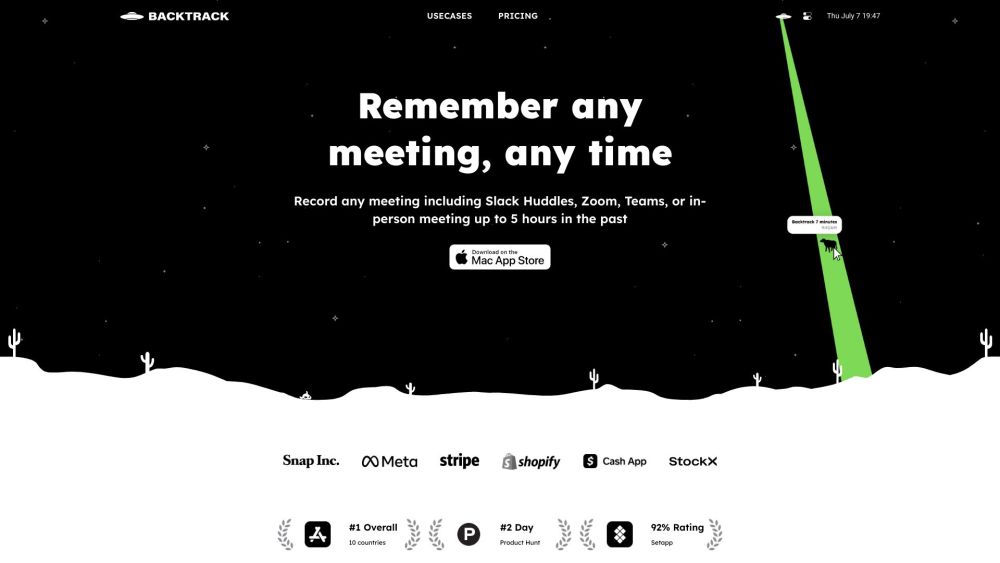
Backtrack is a Mac menu bar recorder that allows users to save their past audio, screen, and microphone recordings. It is designed to help users in various use cases such as recording meetings, client calls, brainstorming sessions, user interviews, sales calls, webinars, conference booths, bug reporting, and more.
To use Backtrack, simply install the app on your Mac. Once installed, the Backtrack icon will appear in your menu bar. Click and drag the icon to save up to 1 hour of in-person or Zoom calls in the past. Backtrack automatically remembers the most recent 1 hour of internal/external audio and screen. You can preview and customize what you want to save from Zoom calls and in-person conversations before downloading. The recordings are completely private to you until you create a sharable link.
#1 Recording Slack Huddles #2 Client Calls #3 Brainstorming Sessions #4 User Interviews #5 Sales Calls #6 Webinars #7 Conference Booths #8 Bug Reporting
Locally record up to 5 hours past audio, screen, or microphone Preview and customize recordings before downloading Upload recordings to the cloud for AI note-taking Generate AI transcripts and summaries Save recordings from various platforms such as Zoom, Slack Huddles, in-person meetings, and more
What platforms does Backtrack support for recording? How far back can I record with Backtrack? Can I customize what I want to save from Zoom calls or in-person conversations? Is my recording data private?
Công cụ cùng danh mục, xếp theo số danh mục chung rồi đến tổng lượt xem. So sánh tính năng để tìm lựa chọn thay thế phù hợp.
Bluedot là một phần mở rộng Chrome được hỗ trợ bởi AI tự động hóa ghi chú cuộc họp bằng cách ghi lại, phiên bản và tóm tắt các cuộc họp với
Fellow is the only AI meeting assistant built with privacy and security in mind. It supports the before, during, and after every meeting wit
AI tool to automate sales tasks and improve efficiency.
Apowersoft is a provider of free multimedia and online business solutions, helping users to record, enrich, convert and deliver multimedia c
AI platform for easy podcast creation and publishing.
Tailored AI solutions for business innovation and optimization.
Các công cụ khác xếp theo tổng lượt xem trên ToolsBot. Khi lượt xem bằng nhau, công cụ được đăng gần đây hơn sẽ xuất hiện trước.
RapVideo AI turns one or two photos into an AI rap video, including the viral Hotel Lobby trend. It writes the lyrics, makes the beat, gener
AI video generation turning text and images into videos and animations for creators.
Online AI face swap for videos and photos, fast and free to try.
All-in-one AI image and video generator using many top models in one place.
输入一段文字描述或上传草图,即可在几分钟内生成符合制图规范的专业平面图,无需 CAD 基础。
Capafy AI is a browser-based AI video generator. Add up to 9 photos or write a prompt, pick one of 5 models (Seedance 2.5, Seedance 2.0, Kli
Tham khảo sản phẩm: Backtrack — Trang web sản phẩm.
Kiểm tra tính năng, giá và chính sách hiện tại trên trang web sản phẩm trước khi sử dụng.
ToolsBot cung cấp thông tin để khám phá và so sánh. Việc đăng trong danh mục không phải là sự chứng thực hay bảo đảm cho tuyên bố của sản phẩm.