Bluedot
Bluedot es una extensión de Chrome impulsada por IA que automatiza las notas de reunión grabando, transcribiendo y resumiendo reuniones con
Backtrack is a Mac menu bar recorder that allows users to save their past audio, screen, and microphone recordings. It is designed to help users in various use cases such as recording meetings, client calls, brainstorming sessions, user interviews, sales calls, webinars, conference booths, bug reporting, and more.
Publicado y mantenido por Equipo editorial de ToolsBot
| Sitio web del producto | Backtrack |
|---|---|
| Categoría |
Las fechas corresponden al registro de ToolsBot, no al lanzamiento del producto ni a una nueva evaluación independiente.
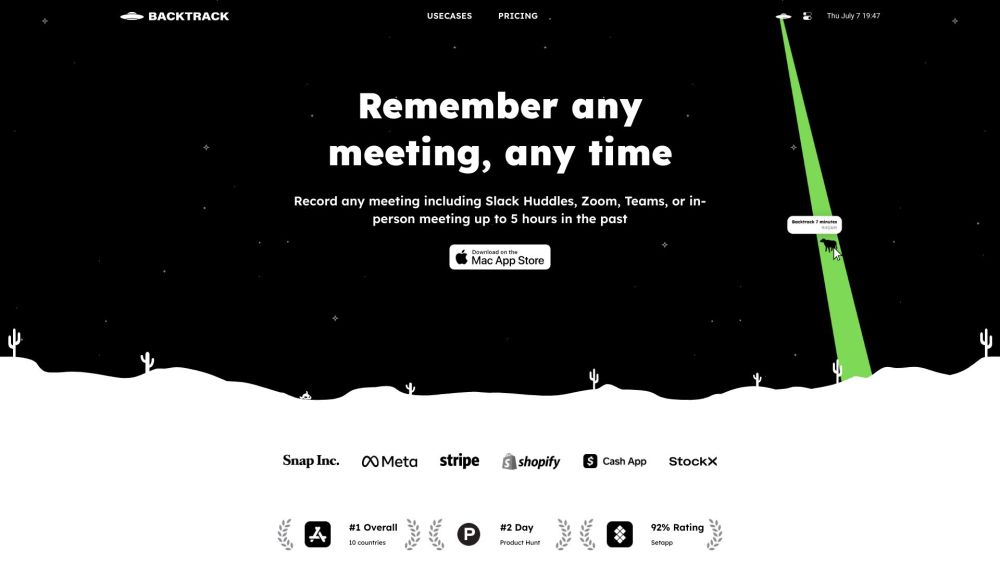
Backtrack is a Mac menu bar recorder that allows users to save their past audio, screen, and microphone recordings. It is designed to help users in various use cases such as recording meetings, client calls, brainstorming sessions, user interviews, sales calls, webinars, conference booths, bug reporting, and more.
To use Backtrack, simply install the app on your Mac. Once installed, the Backtrack icon will appear in your menu bar. Click and drag the icon to save up to 1 hour of in-person or Zoom calls in the past. Backtrack automatically remembers the most recent 1 hour of internal/external audio and screen. You can preview and customize what you want to save from Zoom calls and in-person conversations before downloading. The recordings are completely private to you until you create a sharable link.
#1 Recording Slack Huddles #2 Client Calls #3 Brainstorming Sessions #4 User Interviews #5 Sales Calls #6 Webinars #7 Conference Booths #8 Bug Reporting
Locally record up to 5 hours past audio, screen, or microphone Preview and customize recordings before downloading Upload recordings to the cloud for AI note-taking Generate AI transcripts and summaries Save recordings from various platforms such as Zoom, Slack Huddles, in-person meetings, and more
What platforms does Backtrack support for recording? How far back can I record with Backtrack? Can I customize what I want to save from Zoom calls or in-person conversations? Is my recording data private?
Herramientas de las mismas categorías, ordenadas por categorías compartidas y luego por visitas totales. Compara sus funciones para encontrar una alternativa adecuada.
Bluedot es una extensión de Chrome impulsada por IA que automatiza las notas de reunión grabando, transcribiendo y resumiendo reuniones con
Fellow is the only AI meeting assistant built with privacy and security in mind. It supports the before, during, and after every meeting wit
AI tool to automate sales tasks and improve efficiency.
Apowersoft is a provider of free multimedia and online business solutions, helping users to record, enrich, convert and deliver multimedia c
AI platform for easy podcast creation and publishing.
Tailored AI solutions for business innovation and optimization.
Más herramientas, ordenadas por visitas totales en ToolsBot. Con las mismas visitas, se muestran primero las publicaciones más recientes.
Creador gratuito de vídeos recopilatorios en línea: añade tus fotos, elige una plantilla y descarga un MP4 sincronizado con el ritmo. Sin ap
Transforma fotos en anime, acuarelas, avatares 3D y otros estilos creativos dentro de Telegram. Crea tarjetas de felicitación personalizadas
Convierte las novedades de producto en textos e imágenes de marketing listos para cada canal.
El MCP de LinkedIn para agentes de IA.
Fotografía de productos con IA para vendedores de ropa: crea imágenes con modelo, maniquí invisible y prendas en plano a partir de fotos de
AI Photo Detector comprueba si las fotos se han generado o editado con IA. Consulta la clasificación, el nivel de confianza y el análisis po
Referencia del producto: Backtrack — Sitio web del producto.
Consulta las funciones, los precios y las políticas actuales en el sitio del producto antes de utilizarlo.
ToolsBot ofrece información para descubrir y comparar productos. La inclusión no implica respaldo ni garantiza las afirmaciones del producto.