Artypa
AI-powered platform enhancing creativity for individuals and brands.
First AI tool to generate your own custom fonts and download them in installable format on Mac and Windows
Publié et maintenu par Équipe éditoriale ToolsBot
| Site du produit | https://www.creativefabrica.com/tools/font-generator |
|---|---|
| Catégorie |
Les dates concernent la fiche ToolsBot, et non le lancement du produit ou une nouvelle évaluation indépendante.
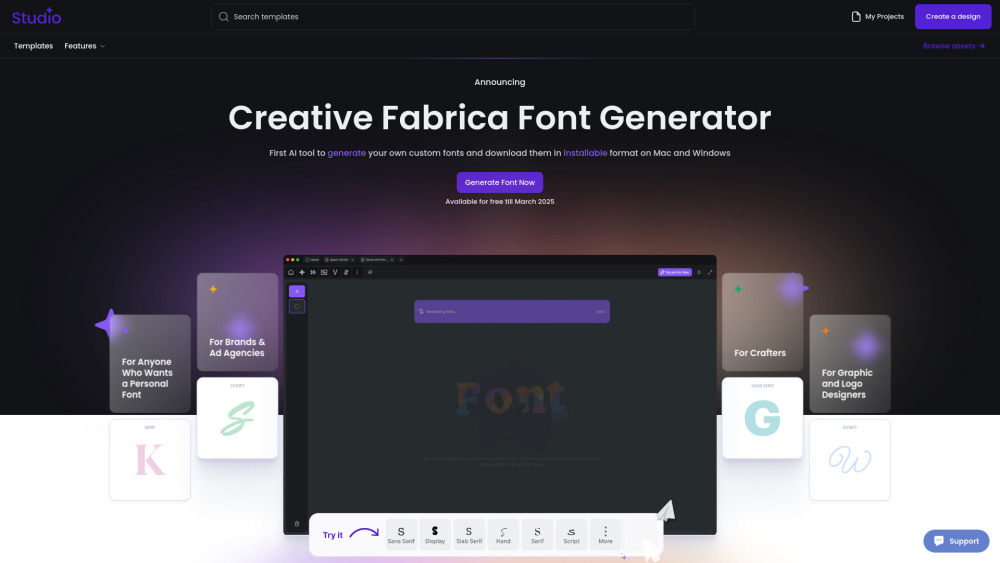
"Not another tool. Another world. Another Future. Our AI Font Generator uses generative AI to create brand-new fonts that you can download and install, making it a game-changer in font creation. We believe that making font design more open and accessible brings new energy to modern creativity. This way, anyone can customize and adapt our fonts to fit their unique ideas and needs."
How to Use Creative Fabrica Font Generator: 1.Go to the website – Open Creative Fabrica Font Generator. 2.Enter your text – Type in the word or phrase you want to style. 3.Choose a font – Browse through the automatically generated styles. 4.Customize if needed – Adjust bold, italic, or size if available. 5.Copy & paste – Click on your favorite style to copy and use it anywhere. 6.Explore more – Click "Load more" for additional styles. Perfect for social media, designs, and creative text!
Creative Fabrica Company name: Creative Fabrica .
Here is the Creative Fabrica support email for customer service: [email protected] . More Contact, visit the contact us page(https://www.creativefabrica.com/contact)
Creative Fabrica Login Link: https://www.creativefabrica.com/login
Outils des mêmes catégories, classés par catégories communes puis par nombre total de visites. Comparez leurs fonctions pour trouver une alternative adaptée.
AI-powered platform enhancing creativity for individuals and brands.
AI platform for training models and generating custom images.
AI platform for creating magical experiences from selfies.
Convert rough sketches to photorealistic images with AI.
AI image generator for creating stunning visuals and designs.
Community platform for sharing MidJourney prompts and SREF codes.
Autres outils classés par nombre total de visites sur ToolsBot. À égalité, les fiches les plus récentes apparaissent en premier.
Free online AI video generator: create cinematic text-to-video and image-to-video clips with native audio and lip sync using Seedance 2.5, K
一站开通 ChatGPT Plus / Pro、Grok、Cursor、Gemini 会员,支付宝付款,充到你自己的账号,服务费公开,30 天质保。
ChatGPT Plus、Pro 5x、Pro 20x 会员充值,支付宝付款,充到你自己的账号,没有美金卡也能开通,30 天质保。
Create fictional desk-concert videos with original audio from authorized adult portraits. Choose a lead and up to four optional bandmates, t
SyncStudy helps students turn public YouTube playlists into structured courses. Organize video lessons, track your progress, take timestampe
FaceTiers is a free attractiveness test. An on-device face landmark model places 478 points on your photo inside the browser, so the image n
Référence du produit : Creative Fabrica — Site du produit.
Consultez le site du produit pour vérifier ses fonctionnalités, tarifs et politiques actuels avant de l’adopter.
ToolsBot facilite la découverte et la comparaison. Une fiche ne constitue ni une approbation ni une garantie des affirmations du produit.