Artypa
AI-powered platform enhancing creativity for individuals and brands.
First AI tool to generate your own custom fonts and download them in installable format on Mac and Windows
Veröffentlicht und gepflegt von ToolsBot-Redaktion
| Produktwebsite | https://www.creativefabrica.com/tools/font-generator |
|---|---|
| Kategorie |
Die Daten beziehen sich auf den ToolsBot-Eintrag, nicht auf den Produktstart oder eine neue unabhängige Prüfung.
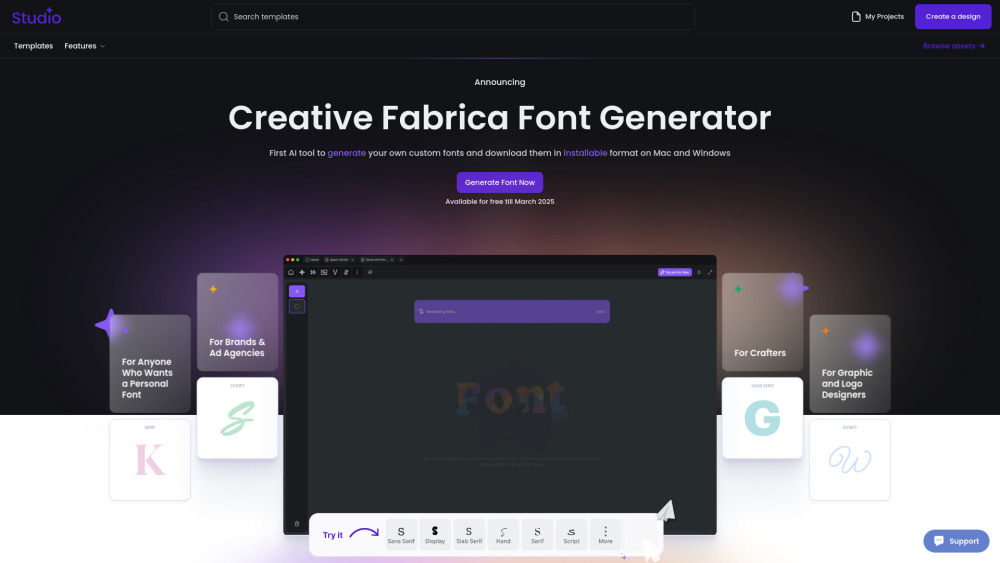
"Not another tool. Another world. Another Future. Our AI Font Generator uses generative AI to create brand-new fonts that you can download and install, making it a game-changer in font creation. We believe that making font design more open and accessible brings new energy to modern creativity. This way, anyone can customize and adapt our fonts to fit their unique ideas and needs."
How to Use Creative Fabrica Font Generator: 1.Go to the website – Open Creative Fabrica Font Generator. 2.Enter your text – Type in the word or phrase you want to style. 3.Choose a font – Browse through the automatically generated styles. 4.Customize if needed – Adjust bold, italic, or size if available. 5.Copy & paste – Click on your favorite style to copy and use it anywhere. 6.Explore more – Click "Load more" for additional styles. Perfect for social media, designs, and creative text!
Creative Fabrica Company name: Creative Fabrica .
Here is the Creative Fabrica support email for customer service: [email protected] . More Contact, visit the contact us page(https://www.creativefabrica.com/contact)
Creative Fabrica Login Link: https://www.creativefabrica.com/login
Tools aus denselben Kategorien, sortiert nach gemeinsamen Kategorien und dann nach Gesamtaufrufen. Vergleiche die Funktionen, um eine passende Alternative zu finden.
AI-powered platform enhancing creativity for individuals and brands.
AI platform for training models and generating custom images.
AI platform for creating magical experiences from selfies.
Convert rough sketches to photorealistic images with AI.
AI image generator for creating stunning visuals and designs.
Community platform for sharing MidJourney prompts and SREF codes.
Weitere Tools nach Gesamtaufrufen auf ToolsBot. Bei gleicher Aufrufzahl erscheinen neuere Einträge zuerst.
Kostenloser Online-KI-Videogenerator: Erstellen Sie filmische Text-zu-Video- und Bild-zu-Video-Clips mit nativem Audio und Lippensynchronisa
一站开通 ChatGPT Plus / Pro, Grok, Cursor und Gemini 会员,支付宝付款,充到你自己的账号,服务费公开,30 天质保。
ChatGPT Plus, Pro 5x und Pro 20x 会员充值,支付宝付款,充到你自己的账号,没有美金卡也能开通,30 天质保。
Erstellen Sie fiktive Desk-Konzert-Videos mit Original-Audio aus autorisierten Erwachsenenporträts. Wählen Sie einen Lead und bis zu vier op
SyncStudy hilft Schülern, öffentliche YouTube-Playlists in strukturierte Kurse zu verwandeln. Organisieren Sie Videounterricht, verfolgen Si
FaceTiers ist ein kostenloser Attraktivitätstest. Ein On-Device-Face-Landmark-Modell platziert 478 Punkte auf Ihr Foto im Browser, so dass d
Produktreferenz: Creative Fabrica — Produktwebsite.
Prüfe aktuelle Funktionen, Preise und Richtlinien auf der Produktwebsite, bevor du das Tool einsetzt.
ToolsBot hilft bei der Suche und beim Vergleich. Ein Eintrag ist keine Empfehlung oder Garantie für Produktangaben.