Artypa
AI-powered platform enhancing creativity for individuals and brands.
First AI tool to generate your own custom fonts and download them in installable format on Mac and Windows
发布与维护: ToolsBot 编辑团队
| 产品网站 | Creative Fabrica |
|---|---|
| 分类 |
日期仅表示 ToolsBot 收录记录的时间,不代表产品上线时间或完成了新的独立评测。
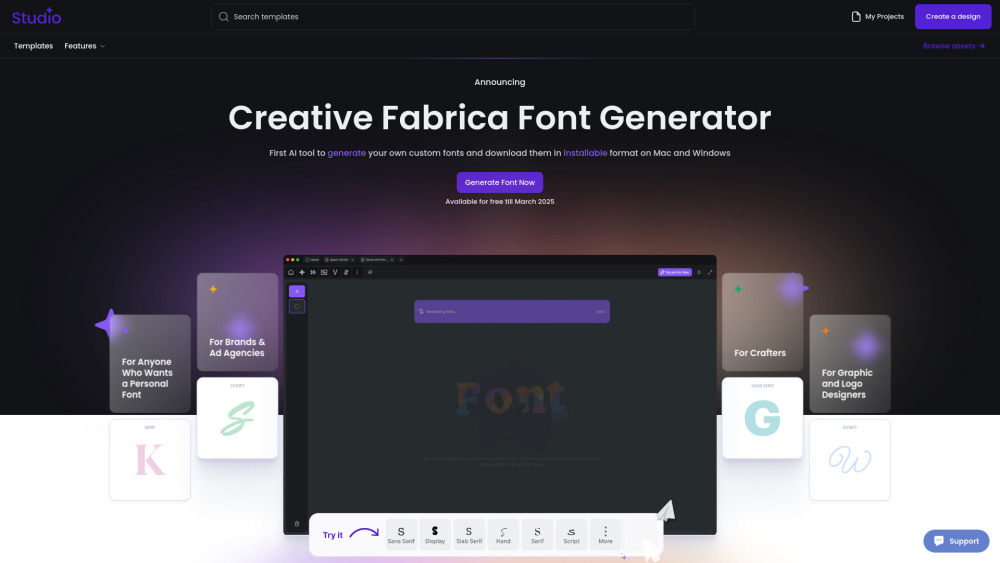
"Not another tool. Another world. Another Future. Our AI Font Generator uses generative AI to create brand-new fonts that you can download and install, making it a game-changer in font creation. We believe that making font design more open and accessible brings new energy to modern creativity. This way, anyone can customize and adapt our fonts to fit their unique ideas and needs."
How to Use Creative Fabrica Font Generator: 1.Go to the website – Open Creative Fabrica Font Generator. 2.Enter your text – Type in the word or phrase you want to style. 3.Choose a font – Browse through the automatically generated styles. 4.Customize if needed – Adjust bold, italic, or size if available. 5.Copy & paste – Click on your favorite style to copy and use it anywhere. 6.Explore more – Click "Load more" for additional styles. Perfect for social media, designs, and creative text!
Creative Fabrica Company name: Creative Fabrica .
Here is the Creative Fabrica support email for customer service: [email protected] . More Contact, visit the contact us page(https://www.creativefabrica.com/contact)
Creative Fabrica Login Link: https://www.creativefabrica.com/login
按共同分类数量及累计浏览量排序的相似工具,可比较功能后选择合适的替代方案。
AI-powered platform enhancing creativity for individuals and brands.
AI platform for training models and generating custom images.
AI platform for creating magical experiences from selfies.
Convert rough sketches to photorealistic images with AI.
AI image generator for creating stunning visuals and designs.
Community platform for sharing MidJourney prompts and SREF codes.
按 ToolsBot 累计浏览量排序的更多工具;浏览量相同时优先展示较新收录的工具。
探索GetRender的AI建筑渲染工具,用于建筑、室内和景观,从草图到渲染再到设计演示。
使用FloatSong的AI音乐生成器从文本或歌词中创建歌曲。选择Suno或Flow Music,写歌词,并在一个工作室制作下一首歌。
AI角色动画生成器和游戏角色表生成器。在几分钟内创建具有一致风格的生产就绪精灵表、行走循环和JSON图集。
MemoTune是一个基于网络的AI歌曲生成器。用人声或乐器将想法、歌词、故事和图像变成完整的歌曲。不需要音乐技能。
上传MP3或粘贴歌曲链接,让SongScene将其转换为具有节拍同步剪切、歌词字幕和9:16、16:9或1:1导出的智能AI音乐视频。
在一个AI创意工作室中创建图像、视频剪辑和音乐。选择一个模型,从文本或图像开始,并在生成之前查看信用成本。
产品参考链接: Creative Fabrica — 产品网站.
采用此工具前,请到产品网站核实最新功能、价格与政策。
ToolsBot 提供目录信息,帮助发现与比较产品。收录不代表背书,也不保证产品声明的准确性。