Artypa
AI-powered platform enhancing creativity for individuals and brands.
First AI tool to generate your own custom fonts and download them in installable format on Mac and Windows
發布與維護: ToolsBot 編輯團隊
| 產品網站 | Creative Fabrica |
|---|---|
| 分類 |
日期僅表示 ToolsBot 收錄紀錄的時間,不代表產品上線時間或完成了新的獨立評測。
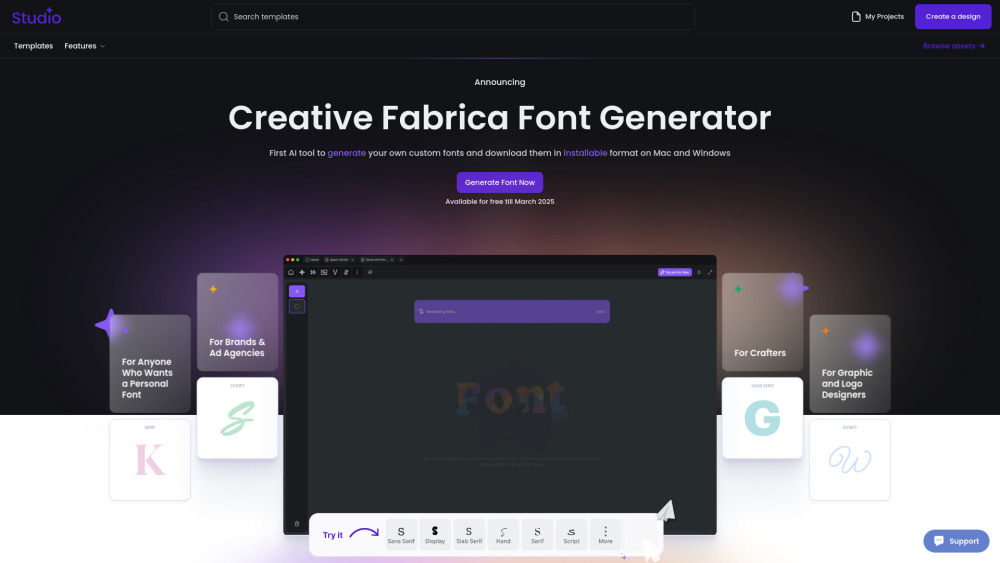
"Not another tool. Another world. Another Future. Our AI Font Generator uses generative AI to create brand-new fonts that you can download and install, making it a game-changer in font creation. We believe that making font design more open and accessible brings new energy to modern creativity. This way, anyone can customize and adapt our fonts to fit their unique ideas and needs."
How to Use Creative Fabrica Font Generator: 1.Go to the website – Open Creative Fabrica Font Generator. 2.Enter your text – Type in the word or phrase you want to style. 3.Choose a font – Browse through the automatically generated styles. 4.Customize if needed – Adjust bold, italic, or size if available. 5.Copy & paste – Click on your favorite style to copy and use it anywhere. 6.Explore more – Click "Load more" for additional styles. Perfect for social media, designs, and creative text!
Creative Fabrica Company name: Creative Fabrica .
Here is the Creative Fabrica support email for customer service: [email protected] . More Contact, visit the contact us page(https://www.creativefabrica.com/contact)
Creative Fabrica Login Link: https://www.creativefabrica.com/login
依共同分類數量及累計瀏覽量排序的相似工具,可比較功能後選擇合適的替代方案。
AI-powered platform enhancing creativity for individuals and brands.
AI platform for training models and generating custom images.
AI platform for creating magical experiences from selfies.
Convert rough sketches to photorealistic images with AI.
AI image generator for creating stunning visuals and designs.
Community platform for sharing MidJourney prompts and SREF codes.
依 ToolsBot 累計瀏覽量排序的更多工具;瀏覽量相同時優先顯示較新收錄的工具。
探索GetRender的AI建築渲染工具,用於建築、室內和景觀,從草圖到渲染再到設計演示。
使用FloatSong的AI音樂生成器從文字或歌詞中創建歌曲。 選擇Suno或Flow Music,寫歌詞,並在一個工作室製作下一首歌。
AI角色動畫生成器和遊戲角色錶生成器。 在幾分鐘內創建具有一致風格的生產就緒精靈錶、行走迴圈和JSON圖集。
MemoTune是一個基於網絡的AI歌曲生成器。 用人聲或樂器將想法、歌詞、故事和影像變成完整的歌曲。 不需要音樂技能。
上傳MP3或粘貼歌曲連結,讓SongScene將其轉換為具有節拍同步剪切、歌詞字幕和9:16、16:9或1:1匯出的智慧AI音樂視頻。
在一個AI創意工作室中創建影像、視訊短片和音樂。 選擇一個模型,從文字或影像開始,並在生成之前查看信用成本。
產品參考連結: Creative Fabrica — 產品網站.
採用此工具前,請到產品網站核實最新功能、價格與政策。
ToolsBot 提供目錄資訊,協助發現與比較產品。收錄不代表背書,也不保證產品聲明的準確性。