Artypa
AI-powered platform enhancing creativity for individuals and brands.
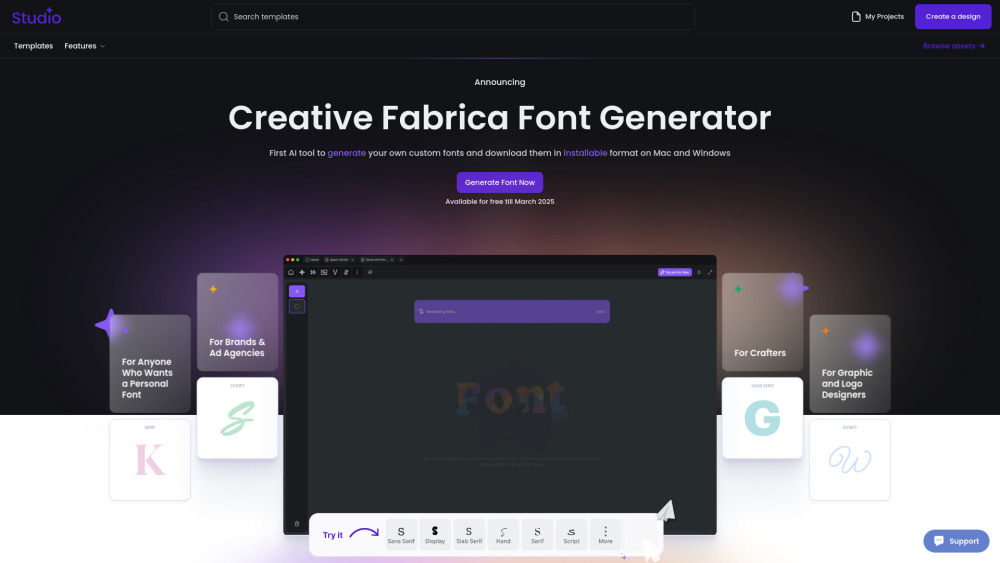
First AI tool to generate your own custom fonts and download them in installable format on Mac and Windows
公開・管理: ToolsBot 編集チーム
| 製品サイト | https://www.creativefabrica.com/tools/font-generator |
|---|---|
| カテゴリー |
日付は ToolsBot の掲載記録を示し、製品の公開日や新たな独立評価の実施日ではありません。
"Not another tool. Another world. Another Future. Our AI Font Generator uses generative AI to create brand-new fonts that you can download and install, making it a game-changer in font creation. We believe that making font design more open and accessible brings new energy to modern creativity. This way, anyone can customize and adapt our fonts to fit their unique ideas and needs."
How to Use Creative Fabrica Font Generator: 1.Go to the website – Open Creative Fabrica Font Generator. 2.Enter your text – Type in the word or phrase you want to style. 3.Choose a font – Browse through the automatically generated styles. 4.Customize if needed – Adjust bold, italic, or size if available. 5.Copy & paste – Click on your favorite style to copy and use it anywhere. 6.Explore more – Click "Load more" for additional styles. Perfect for social media, designs, and creative text!
Creative Fabrica Company name: Creative Fabrica .
Here is the Creative Fabrica support email for customer service: [email protected] . More Contact, visit the contact us page(https://www.creativefabrica.com/contact)
Creative Fabrica Login Link: https://www.creativefabrica.com/login
同じカテゴリのツールを、共通カテゴリ数、累計閲覧数の順に表示します。機能を比較して適切な代替ツールを探しましょう。
AI-powered platform enhancing creativity for individuals and brands.
AI platform for training models and generating custom images.
AI platform for creating magical experiences from selfies.
Convert rough sketches to photorealistic images with AI.
AI image generator for creating stunning visuals and designs.
Community platform for sharing MidJourney prompts and SREF codes.
ToolsBot の累計閲覧数順で表示するその他のツールです。同数の場合は新しく掲載されたツールを優先します。
大人の肖像画から短い音楽パフォーマンスのリミックスを作成し、オリジナルの背景レンズとサウンドを添付します。
Drive AIは、世界中のすべてのファイルのインテリジェントなレイヤーであり、どこにあっても。これは、既存のファイルと読み込まれたファイルを単純な
大人の写真を14秒の垂直オフィスコンサートのビデオに変えます:あなたは赤いキーボードの上で伴奏歌手とサックスの伴奏と一緒に歌って、人工知能で生
ZIPZAXの475+無料オンラインツールには、執筆、要約、書き換えのための48の無料人工知能ツールがあります。リスボンの小さなチームによって建てられた
PCB及び電子品質制御のための産業用X線検出システム、AXI、産業用CT及びNDT装置の製造業者。本社は中国深センにある。
1枚の写真からビクトリアの秘密滑走路AIビデオを作成します。Kylie Jenner、Hadid、Ming Xi、Anok Yai、Jasmine Tookesの実際の前後の例を探索します
製品の参照先: Creative Fabrica — 製品サイト.
導入前に製品サイトで最新の機能、料金、ポリシーを確認してください。
ToolsBot は製品の発見と比較のための情報を提供します。掲載は推奨や製品の主張の保証を意味しません。